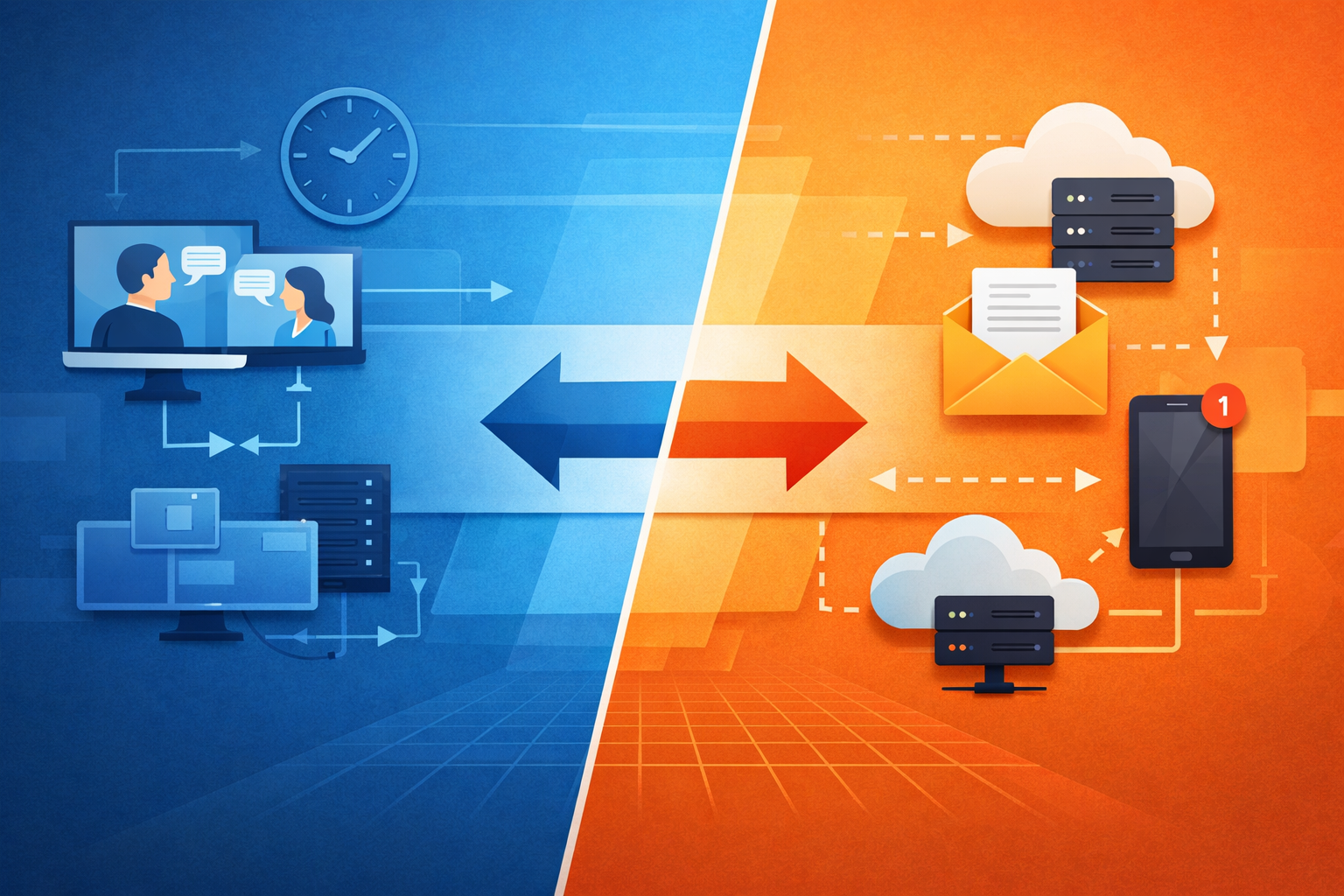
Synchronous vs Asynchronous Communication in System Design: A Practical Guide
September 2, 2026
Communication style is one of the most important choices in system design because it shapes how fast a system feels, how reliably it behaves under load, and how easy it is to evolve over time. In modern software, the question is rarely “Should we use synchronous or asynchronous communication?” In practice, the right answer is usually “Which parts of the system should be synchronous, and which should be asynchronous?”
That distinction matters because different workloads have different needs. A checkout button, for example, often needs an immediate answer to keep the user informed. A video-processing pipeline, on the other hand, can usually work in the background and report results later. In distributed systems, the communication pattern also affects coupling, scaling, error handling, and operational complexity. The same design choice that makes one service simpler can make another more fragile. AWS and Microsoft both emphasize that synchronous request/response is a natural fit for quick interactions, while event-driven and message-based approaches are well suited to decoupled, scalable, and resilient workflows. (docs.aws.amazon.com)
This guide breaks down the mechanics, trade-offs, resilience patterns, and current architecture trends so you can choose the right communication style with confidence.

1. Introduction: Why communication style matters in modern system design
Communication style is not just an implementation detail; it is an architectural decision with business consequences. If a service waits for another service to finish before continuing, you are designing for immediate feedback and predictable user interaction. If a service sends work to a queue or event stream and moves on, you are designing for decoupling and eventual completion. These choices influence everything from user experience to incident response.
Synchronous communication usually maps to request/response patterns. A client sends a request and expects a response before moving forward. This is common in REST APIs, gRPC calls, and many web application backends. Amazon API Gateway, for instance, is explicitly designed to forward a request to a backend and return the backend’s response synchronously. (docs.aws.amazon.com)
Asynchronous communication, by contrast, allows the sender to continue without waiting for the receiver to finish processing. Google Cloud describes event-driven systems as architectures where microservices react to changes in state, and AWS describes event-driven architecture as a popular way to build scalable, resilient, agile, and cost-effective distributed applications. (docs.cloud.google.com)
Why does this matter so much? Because communication style changes the shape of failure. Synchronous systems expose failures immediately to the caller. Asynchronous systems often hide transient backend failures behind retries, buffering, or delayed processing—but they also introduce new failure modes like message duplication, poison messages, and backlog growth. In other words, synchronous designs optimize for immediacy, while asynchronous designs optimize for elasticity and tolerance of uneven demand. (learn.microsoft.com)
The best systems are usually hybrids. User-facing operations may start synchronously, then hand off heavy work asynchronously. Internal services may use synchronous calls for quick queries and asynchronous events for state propagation. The key is matching the communication model to the business requirement rather than forcing every interaction into one style.
2. Definitions and core mechanics of synchronous vs asynchronous communication
At a high level, synchronous communication means the caller waits for a response before proceeding. Asynchronous communication means the caller does not need to wait for the work to complete. That sounds simple, but the mechanics matter.
In a synchronous request/response flow, the caller sends a request, the callee processes it, and the response returns over the same interaction. This is the classic model for HTTP APIs and RPC-style calls. Azure notes that synchronous communication can also appear in event-driven environments through request-response messaging, but the key idea remains the same: the caller expects a response as part of the same logical interaction. (learn.microsoft.com)
In asynchronous communication, the sender typically hands work to a broker, queue, topic, or event bus. The receiver processes it later, often independently. Google Cloud’s Pub/Sub model is a good example: publishers send messages to a topic, and one or more subscribers consume them. The broker does not need to know the subscribers in advance, which reduces coupling. (docs.cloud.google.com)
There are several common asynchronous patterns:
Queue-based work distribution: one message is usually processed by one consumer.
Pub/Sub events: one event can be consumed by multiple subscribers.
Fire-and-forget: the caller only needs confirmation that the message was accepted.
Request-reply with async backend processing: the client gets an acknowledgment first, then polls or receives a callback later. Azure’s asynchronous request-reply pattern describes this approach for long-running operations. (docs.aws.amazon.com)
The practical difference is visible in the user experience. A synchronous checkout request might either succeed or fail immediately. An asynchronous image-rendering request might return “accepted” right away and complete later. The backend can run for seconds, minutes, or longer without tying up the original caller.
A useful mental model is this: synchronous communication optimizes for coordination, while asynchronous communication optimizes for independence. Synchronous systems coordinate both sides in real time. Asynchronous systems let each side proceed on its own schedule.
3. Where synchronous communication fits best: request/response, user-facing workflows, and low-latency APIs
Synchronous communication works best when the caller needs an immediate answer and the backend can respond quickly enough to meet the latency target. That makes it ideal for user-facing workflows where the response is part of the interaction itself: logging in, searching, adding an item to a cart, validating a form, or rendering a page.
The strongest case for synchronous design is when the user experience depends on immediate feedback. If someone clicks “Buy Now,” they want to know whether the order was accepted. If a mobile app checks account balance, it needs the result right away. In these situations, request/response APIs are a natural fit. Amazon API Gateway’s documentation shows this pattern directly: the client sends the request, the backend processes it, and the response is returned synchronously. (docs.aws.amazon.com)
Low-latency APIs are another strong fit. Many internal service calls are short-lived, I/O-bound, and easier to reason about when the answer comes back immediately. Azure notes that synchronous APIs are appropriate for simple request-response workflows when latency and throughput requirements are met. (learn.microsoft.com)
Common examples include:
Authentication and authorization checks
Read-heavy API endpoints
Search and lookup operations
Validation and policy enforcement
Small business transactions that must either succeed or fail immediately
Synchronous communication also simplifies the mental model for developers. The control flow is straightforward: call, wait, return. That can reduce implementation complexity for smaller systems, early-stage products, and teams without deep messaging experience.
But there is an important caveat: synchronous is best when the service is fast and available. If the backend is slow, overloaded, or depends on other slow services, synchronous calls can create a chain reaction of user-visible failures. In distributed systems, every blocking call becomes a potential bottleneck, so synchronous design should be reserved for cases where immediate feedback is essential and the response time budget is realistic.

4. Where asynchronous communication fits best: queues, events, background jobs, and decoupled services
Asynchronous communication shines when work can happen later, when systems need to absorb spikes, or when one service should not depend directly on another service’s immediate availability. This is why queues, events, background jobs, and pub/sub architectures are so common in modern distributed systems.
AWS describes event-driven architectures as a popular and preferable way to build large distributed microservice applications, highlighting scalability, resilience, agility, and cost-effectiveness. Google Cloud likewise describes events as immutable records of something that happened, suitable for publication and repeated consumption. (docs.aws.amazon.com)
Queues are useful when you want to spread work across consumers and control the rate of processing. Background jobs are a natural fit for tasks like email sending, report generation, image resizing, and video transcoding. Events are excellent for notifying other systems that something changed: an order was placed, a payment cleared, a shipment was dispatched. In a pub/sub model, multiple services can react to the same event independently, which is especially useful for analytics, notifications, and downstream automation. (docs.cloud.google.com)
Asynchronous patterns are also a strong match for decoupled services. Instead of one service needing to know the state and performance of another in real time, it can publish an event and move on. That reduces direct dependencies and helps teams evolve services independently. Azure notes that messaging components like Azure Service Bus, Event Grid, and Event Hubs are commonly used to create loosely coupled communication. (learn.microsoft.com)
A few common examples:
Processing uploaded files after receipt
Sending confirmation emails after order placement
Syncing data to search indexes or data warehouses
Updating read models in event-driven architectures
Running long-lived workflows via queues and background workers
The biggest advantage is elasticity. If traffic spikes, the queue absorbs the load and workers catch up later. The system can survive short-term outages without losing work, provided the messages are durably stored and the consumers are designed for retries and idempotency. AWS specifically recommends durable communication services like SQS for reliable microservice communication. (docs.aws.amazon.com)
5. Trade-offs: latency, throughput, availability, coupling, and operational complexity
Every communication style trades one benefit for another. Understanding these trade-offs helps you avoid overengineering or choosing the wrong pattern for the problem.
Latency:
Synchronous systems usually provide the lowest perceived latency when the backend is fast. The caller gets an answer immediately. Asynchronous systems often introduce extra steps—queueing, processing, and later notification—but they may improve end-to-end throughput under load. Azure notes that many factors affect response latency, including queue length, processing time, and network conditions. (learn.microsoft.com)
Throughput:
Asynchronous designs often win when the system must process large volumes of work. A queue lets producers and consumers run at different speeds. This improves load leveling and can keep the system stable during bursts. In contrast, synchronous designs can become constrained by the slowest downstream dependency.
Availability:
Synchronous calls are only as available as the services they depend on. A chain of synchronous dependencies can make a small outage propagate quickly. Asynchronous systems can continue accepting work even when downstream consumers are slow or temporarily unavailable, as long as the broker is healthy and durable. (docs.aws.amazon.com)
Coupling:
Synchronous communication tends to increase temporal coupling because both parties must be available at the same time. Asynchronous communication reduces temporal coupling because producers and consumers do not need to coordinate in real time. That said, event-driven systems introduce schema and contract coupling: services must still agree on event formats and meaning.
Operational complexity:
Synchronous systems are simpler to trace in a single request path, but they can be harder to scale safely when dependencies multiply. Asynchronous systems are more operationally complex because they require brokers, queues, consumer lag monitoring, dead-letter handling, and retry policies. Google Cloud and AWS both emphasize that modern event-driven systems require careful broker and subscriber design. (docs.cloud.google.com)
A good rule of thumb: choose synchronous communication when a user is waiting and the work is quick; choose asynchronous communication when the work is slow, bursty, fan-out-heavy, or does not need to finish immediately.
6. Failure modes and resilience patterns: retries, timeouts, circuit breakers, idempotency, backpressure, and dead-letter queues
Distributed systems fail in ordinary ways: timeouts, partial outages, duplicate messages, slow consumers, and transient network errors. The communication style you choose determines how those failures surface.
Retries and timeouts
Retries are useful for transient failures, but they must be bounded by timeouts. Microsoft recommends using retries carefully and pairing them with timeout limits to avoid operations running longer than acceptable. In synchronous calls, timeouts prevent a caller from waiting forever. In asynchronous workflows, retries help when a consumer temporarily fails to process a message. (learn.microsoft.com)
Circuit breakers
Circuit breakers protect a system from repeated calls to a failing dependency. AWS describes the circuit breaker pattern as a way to stop repeated retries against a service that has already shown repeated timeouts or failures. This prevents network contention and thread-pool exhaustion. (docs.aws.amazon.com)
Idempotency
Idempotency is critical in asynchronous systems because messages may be delivered more than once. AWS explicitly recommends idempotency to handle duplicate messages. Without it, retries can accidentally double-charge customers, create duplicate orders, or trigger repeated side effects. (docs.aws.amazon.com)
Backpressure
Backpressure is how a system signals that it is overloaded. In asynchronous systems, this often means slowing producers, scaling consumers, or temporarily rejecting new work. Without backpressure, queues can grow without limit and create long delays or cost spikes.
Dead-letter queues
Dead-letter queues are a safety valve for messages that repeatedly fail. Microsoft defines them as special queues that store messages that cannot be processed successfully after multiple attempts. AWS also recommends considering DLQs for failed processing. DLQs are not a substitute for fixing bad payloads or broken code, but they are essential for isolating poison messages and keeping pipelines moving. (learn.microsoft.com)
The most resilient systems combine all of these patterns thoughtfully:
short timeouts for synchronous calls
retries with exponential backoff where safe
circuit breakers for repeated failures
idempotent consumers
queues or buffers for absorbable load
dead-letter queues for unrecoverable messages
Resilience is not one feature; it is a design discipline.
7. Architecture examples: microservices, event-driven systems, serverless workflows, and hybrid designs
The best way to understand communication styles is to see how they show up in real architectures.
Microservices
Microservices often use both synchronous and asynchronous communication. Synchronous calls are common for quick lookups or validation, while asynchronous messages are used for state changes and downstream reactions. AWS’s microservices guidance explicitly distinguishes these two communication patterns, and Microsoft notes that retries and circuit breakers are especially important for service-to-service calls. (docs.aws.amazon.com)
A practical microservices example:
API service receives an order request synchronously.
It writes the order to a database.
It publishes an
OrderCreatedevent asynchronously.Inventory, billing, notification, and analytics services consume that event independently.
Event-driven systems
Event-driven architecture is a natural fit when state changes should be broadcast to multiple interested parties. Google Cloud describes these events as immutable records that can be persisted and consumed repeatedly, while AWS points out that event-driven systems are especially useful for communication between microservices and fan-out processing. (docs.cloud.google.com)
Serverless workflows
Serverless systems often rely heavily on asynchronous messaging because functions are short-lived and event-triggered by design. AWS documentation highlights SQS for durable communication, SNS for fan-out, and EventBridge for routing and filtering. Azure similarly recommends using triggers and messaging components to drive event-based functions. (docs.aws.amazon.com)
Hybrid designs
Hybrid systems are the norm in real production environments. For example:
A frontend calls an API synchronously to create a job.
The API returns immediately with a job ID.
A background worker processes the job asynchronously.
The UI polls or listens for completion updates.
Separate services update search, notifications, and analytics via events.
This hybrid pattern gives users immediate acknowledgment while preserving scalability for expensive work. Azure’s asynchronous request-reply pattern is a good blueprint for this approach. (learn.microsoft.com)
In practice, architecture is rarely “all sync” or “all async.” The most successful systems place synchronous APIs at the edges and asynchronous messaging in the middle where decoupling and resilience matter most.
8. Current trends in 2025–2026: event-driven architecture, serverless messaging, and cloud-native integration patterns
The trend in 2025–2026 is not a rejection of synchronous communication; it is a more deliberate use of asynchronous and event-driven patterns where they add the most value. Cloud providers continue to emphasize event-driven architectures, durable messaging, and managed integration services as core building blocks for modern systems. Google Cloud’s updated event-driven architecture documentation was refreshed in 2026 and explicitly frames event-based systems as a cloud-native model using Pub/Sub and Eventarc. (docs.cloud.google.com)
A few notable trends stand out:
1. Event-driven architecture is becoming the default for integration-heavy systems.
Organizations increasingly use events to connect services, data pipelines, and automation workflows because it reduces tight coupling and improves scalability. AWS and Google Cloud both position event-driven design as central to modern distributed applications. (docs.aws.amazon.com)
2. Serverless messaging is growing as a practical middle layer.
Managed services like SQS, SNS, EventBridge, Pub/Sub, Eventarc, and Azure Service Bus reduce the operational burden of running brokers yourself. This makes it easier for teams to adopt asynchronous design without managing infrastructure complexity directly. (docs.aws.amazon.com)
3. Cloud-native integration patterns are more opinionated.
Cloud platforms now provide richer routing, filtering, transformation, and callback patterns. AWS API Gateway, for example, supports synchronous request/response, while Lambda integrations can also be configured for asynchronous invocation. Azure documents asynchronous request-reply workflows for long-running processes. (docs.aws.amazon.com)
4. Hybrid real-time systems are becoming more common.
Teams increasingly combine synchronous front-door APIs with asynchronous back-end workflows, especially for AI, analytics, and long-running business processes. AWS’s serverless AI guidance describes event-driven architecture as the backbone of modern serverless control flows. (docs.aws.amazon.com)
The broader direction is clear: synchronous communication remains essential for user interaction, but asynchronous communication is becoming the preferred backbone for scalable integration, automation, and workflow orchestration.
9. Decision framework: choosing the right communication style by use case, scale, and team constraints
A good decision framework starts with the user experience and ends with operations. Ask these questions:
1) Does the caller need an answer right now?
If yes, favor synchronous communication. Use it for login, search, validation, and transactional APIs where a user expects an immediate result. If no, favor asynchronous communication.
2) Can the work finish within an acceptable latency budget?
If the operation is fast and predictable, synchronous is simpler. If it may take seconds or minutes, asynchronous is usually better. Azure’s guidance on asynchronous request-reply is especially relevant for long-running operations. (learn.microsoft.com)
3) Is the workload bursty or high volume?
If yes, asynchronous queues or event streams can absorb spikes and smooth processing. AWS highlights the scalability and fault-tolerance benefits of event-driven architectures. (docs.aws.amazon.com)
4) How tightly coupled can the services be?
If strong temporal coupling is acceptable, synchronous may be fine. If teams need to deploy independently or services must survive intermittent outages, asynchronous communication is a better fit. (learn.microsoft.com)
5) What skills does the team have?
If the team is new to distributed systems, synchronous APIs may be easier to start with. If the team already understands queues, retries, idempotency, and observability, asynchronous patterns can unlock better scalability and resilience.
6) What are the operational constraints?
If you need the simplest possible debugging and tracing model, synchronous paths are easier. If you need fault tolerance, fan-out, and load leveling, asynchronous designs are stronger but require more monitoring and governance.
A simple decision guide:
Use synchronous for immediate user interactions, fast validations, and simple request/response APIs.
Use asynchronous for background jobs, event propagation, distributed workflows, and bursty workloads.
Use hybrid for most real systems: synchronous at the edge, asynchronous in the core.
This framework is less about purity and more about fit. The right architecture often mixes both patterns intentionally.
10. Best practices, common mistakes, and a concise conclusion
Best practices
Use synchronous communication only when you truly need an immediate response.
Make asynchronous consumers idempotent.
Set clear timeouts and retry limits for synchronous calls.
Use circuit breakers to avoid hammering failing dependencies.
Introduce dead-letter queues for poison messages and persistent failures.
Monitor queue depth, consumer lag, error rates, and retry rates.
Keep event schemas versioned and documented.
Prefer durable messaging for important business actions.
Use hybrid designs for workflows that need both fast acknowledgment and long-running processing.
Common mistakes
Forcing everything into synchronous APIs because they feel simpler.
Using asynchronous messaging without idempotency or DLQs.
Treating queues as a magic fix for poor service design.
Ignoring observability in event-driven systems.
Creating too many synchronous service-to-service dependencies.
Returning success before work is durably persisted.
Using asynchronous patterns when the user actually needs immediate feedback.
Conclusion
Synchronous and asynchronous communication are not competing philosophies; they are complementary tools. Synchronous communication is best when a user or service needs an immediate answer. Asynchronous communication is best when work can happen later, when systems need to decouple, and when scale or resilience matters more than instant completion. Cloud providers continue to invest heavily in event-driven architecture, serverless messaging, and cloud-native integration because these patterns fit modern distributed systems well. (docs.aws.amazon.com)
The most practical system designs use both: synchronous APIs for the front door, asynchronous workflows for the heavy lifting, and resilience patterns to handle inevitable failures. If you choose based on user needs, latency budgets, and operational realities, you will usually land on the right design.
References
Google Cloud Documentation — Event-driven architecture with Pub/Sub
AWS Well-Architected Serverless Applications Lens — Event-driven architectures
AWS API Gateway Developer Guide — Develop REST APIs in API Gateway
Microsoft Learn — Recommendations for handling transient faults
Microsoft Learn — Interservice communication in microservices
AWS Prescriptive Guidance — Integrating microservices by using AWS serverless services
AWS Lambda Developer Guide — Invoking a Lambda function using an Amazon API Gateway endpoint
AWS Prescriptive Guidance — Event-driven architecture: The backbone of serverless AI