
How to Design Reliable AI Workflows with Tools, Memory, and Validation
June 29, 2026
Reliable AI workflows are moving from “nice to have” to “must have.” In 2025–2026, the biggest change is not that models got smarter in a vacuum; it’s that the surrounding stack matured. OpenAI’s newer agent-building direction emphasizes a model-native harness, sandboxed execution, and traces that make it easier to inspect what happened during a task. At the same time, structured outputs, function calling, and eval-driven development have become central to shipping AI systems that behave predictably in production. (openai.com)
That matters because real-world workflows are no longer simple chat interactions. They often involve multi-step planning, external tools, state management, and checks before anything reaches a user, database, or downstream system. OpenAI’s 2025–2026 product direction also reflects this shift: the Responses API is now the preferred path for building agents, the Assistants API is being deprecated, and Agent Builder/Evals are being wound down in favor of code-based workflows and the Agents SDK for production systems. (platform.openai.com)

The core challenge is simple to state and hard to solve: how do you let AI act autonomously enough to be useful, but not so freely that small mistakes become expensive failures? The answer is to design workflows with clear stages, narrow tool permissions, deliberate memory policies, and validation at multiple points. In practice, the most reliable systems look less like “a model that does everything” and more like a carefully engineered pipeline where each step has a purpose, a boundary, and a way to fail safely. The rest of this post breaks that design down into a practical architecture you can actually deploy. (platform.openai.com)
Core Workflow Architecture: Planning, Tool Use, State, and Output
A reliable AI workflow should not begin with tool calls. It should begin with planning. The model first needs to understand the task, decide whether it is appropriate to automate, identify constraints, and choose a strategy. Only then should it move into tool use. This separation is important because many failures happen when a model tries to answer, act, and improvise at the same time. A clean architecture usually breaks work into four stages: planning, tool execution, state management, and output generation. That division makes each stage easier to inspect, test, and improve. (platform.openai.com)
In planning, the system determines what success looks like. For example, a support triage agent might decide whether a ticket needs retrieval from the knowledge base, a database lookup, or escalation to a human. A research agent might determine which sources are needed before summarizing. A coding agent might decide whether it needs to inspect files, run tests, or edit code. OpenAI’s Agents SDK is explicitly designed around this kind of agent loop, where the model can use context and tools while preserving a trace of what happened. (platform.openai.com)
The tool-use stage should be treated as execution, not creativity. If the system needs search, database access, or code execution, those actions should happen through controlled interfaces. That keeps the model from “hallucinating” the existence of data or pretending it completed an action it never actually performed. The state stage is where the system keeps track of what has already been verified, what is still uncertain, and what context must carry forward. The final output stage should convert the accumulated evidence into a structured result or human-readable answer, ideally under a schema so downstream systems can depend on it. Structured Outputs is useful here because it constrains model output to developer-defined JSON schemas. (openai.com)
The most important design principle is that each stage should have a narrow job. Planning should not write to production systems. Tool execution should not decide policy. State should not grow without limits. Output should not invent missing facts. When those boundaries are explicit, you reduce accidental coupling and make the workflow easier to evaluate, debug, and modify. This is also where modern agent design differs from older prompt-only approaches: reliability comes from orchestration, not from hoping a single prompt will do everything. (openai.com)
Tool Orchestration: Choosing Tools, Permissions, and Controlled Execution Patterns
The right toolset is usually smaller than teams expect. Many workflows fail because developers give the model too many options, too much authority, or too little structure. A better approach is to select tools based on a specific job: retrieval for knowledge lookup, database queries for grounded facts, code execution for transformations, browser or web search for current information, and internal APIs for business actions. OpenAI’s Responses API supports built-in tools and custom function calling, which makes it possible to wire models into real systems without exposing raw infrastructure. (platform.openai.com)
Permissions are just as important as the tools themselves. A model that can read a file is not the same as a model that can edit one. A model that can draft a refund request should not automatically issue the refund. In practice, you want least-privilege access: read-only where possible, scoped write access when needed, and explicit human approval before high-impact actions. The 2026 Agents SDK update also highlights native sandbox execution and separation between harness and compute, underscoring how central controlled execution has become for safe agent behavior. (openai.com)
A strong orchestration pattern is “plan, call, verify, continue.” The model proposes the next action, the runtime executes it, the result is verified, and only then does the workflow proceed. This pattern prevents a common failure mode in which the model chains several tool calls based on a mistaken assumption. Another useful pattern is “tool broker” architecture, where the model never talks directly to services. Instead, it sends intentions to a broker that enforces permissions, validates arguments, rate-limits calls, and logs every action. That broker can also normalize tool outputs so the model sees consistent data. (platform.openai.com)
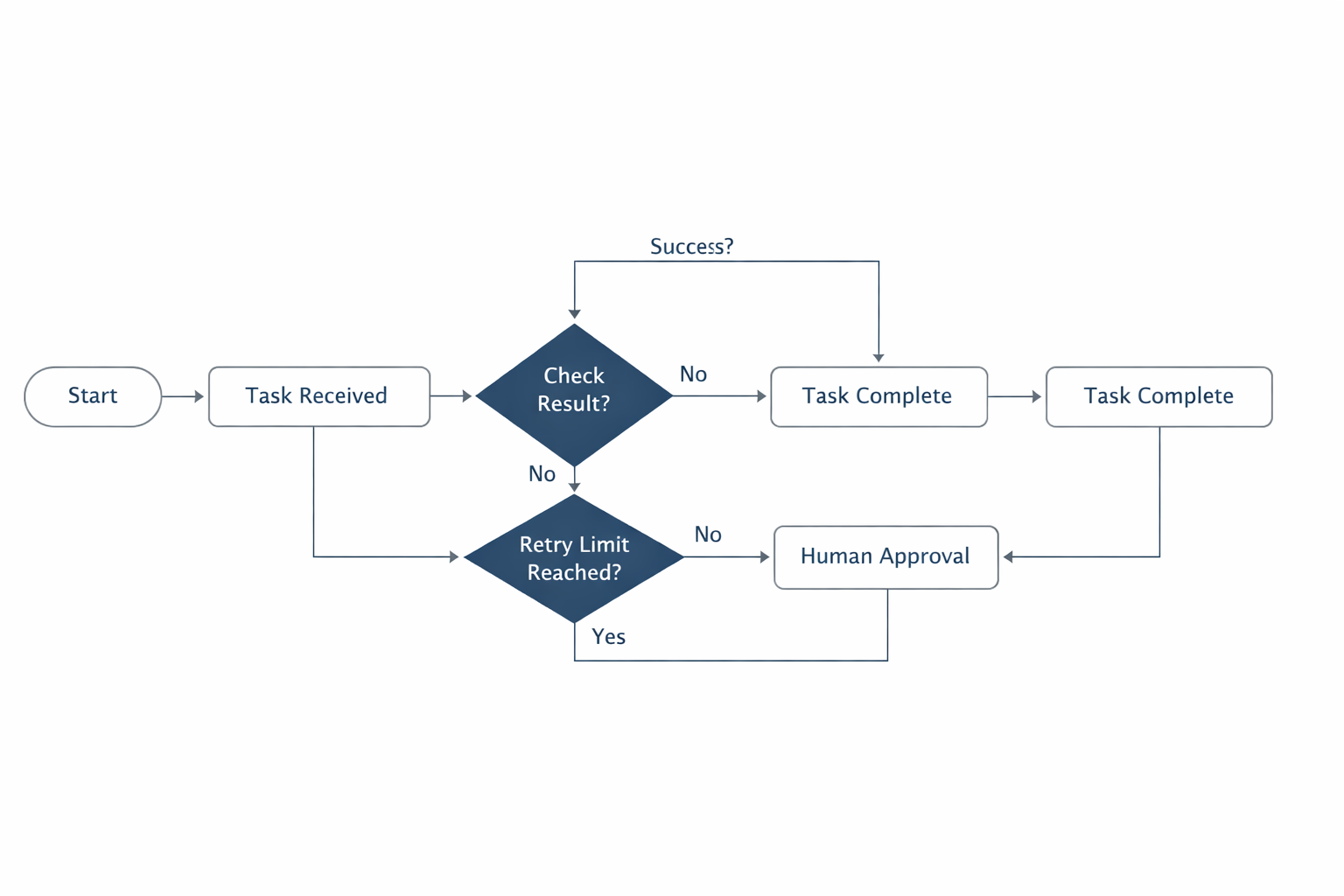
Controlled execution also means designing for failure. Tools may time out, return partial data, or produce malformed responses. Your orchestration layer should know which tools are retryable, which failures require a fallback, and which ones should stop the workflow immediately. If a web lookup fails, maybe the system can answer with a lower-confidence response. If a payment API fails, it should not try again indefinitely. Reliability is less about making every tool succeed and more about making the overall system behave safely when one tool does not. (platform.openai.com)
Memory Design: Persistent Memory, Context Compaction, Retrieval, and When Not to Store State
Memory is one of the most misunderstood parts of AI workflows. Not all memory is good memory. Persistent memory can make systems more helpful by preserving preferences, prior decisions, or long-running task state. But if you store the wrong things, you create privacy risks, stale context, and confusing behavior. The best memory systems distinguish between short-term working state, long-term facts, and task-specific artifacts. OpenAI’s Responses API documentation explicitly describes stateful interactions and support for conversation state, which makes the underlying design choice clear: state can be maintained, but it should be done deliberately. (platform.openai.com)
A practical memory strategy usually has three layers. First is ephemeral context, which lives only for the current task or session. This is where the model keeps immediate reasoning, active goals, and transient tool results. Second is compacted context, where long threads are summarized so the system can continue without carrying every token forward. Third is retrieval-based memory, where the workflow fetches only the pieces of prior information needed for the current task. This separation is important because longer context is not automatically better; it can become noisier, more expensive, and more prone to distraction. OpenAI’s help and API docs also emphasize response-length control and prompt caching, both of which are part of keeping workflows efficient and bounded. (help.openai.com)
The question of what to store should be answered with a policy, not intuition. Store durable facts that are useful later and safe to retain: user preferences, approved project decisions, validated task outcomes, or canonical references. Avoid storing speculative conclusions, intermediate guesses, personally sensitive data unless clearly necessary, and anything that could become outdated quickly. A memory layer should also track provenance, so the system knows where a remembered item came from and when it was last verified. That makes it easier to expire stale state and to explain why a given memory is being used. (openai.com)
Retrieval should be selective and goal-driven. Instead of dumping all history into context, retrieve just enough to support the current decision. In long-running workflows, context compaction becomes essential: summarize past decisions, keep unresolved open items, and preserve links to source artifacts. This reduces prompt drift and helps the workflow stay on task. Just as importantly, know when not to store state at all. If a detail is easy to re-derive, highly sensitive, or likely to change, retrieval from a trusted source is usually better than durable memory. In reliable systems, memory is a cache of verified usefulness, not a dumping ground for everything the model has ever seen. (platform.openai.com)
Validation Layers: Schema Checks, Assertions, Unit Tests, Cross-Checks, and Human Review
Validation is where reliability becomes measurable. A model can sound confident and still be wrong, so workflows need checks that verify correctness independently of the model’s confidence. The first layer is schema validation: does the output conform to the expected structure? Structured Outputs is especially useful because it constrains model responses to developer-supplied schemas, reducing malformed outputs and making downstream processing safer. (openai.com)
The second layer is assertions. These are simple rules that catch impossible or suspicious states, such as a date in the past when the task requires a future deadline, a negative quantity in an order update, or an answer that references a tool result that never occurred. Assertions are cheap and powerful because they encode business logic directly into the workflow. They are also easier to maintain than trying to “prompt” the model into always remembering every rule. (openai.com)
The third layer is tests. For software-related workflows, unit tests and integration tests can validate code changes, API payloads, and generated logic. For non-code workflows, you can still create test cases with expected outputs, golden datasets, or rubrics. OpenAI’s evaluation materials and GDPval emphasize hierarchical grading and real-world task evaluation, showing that robust assessment often means breaking work into smaller gradable pieces rather than relying on one subjective score. (evals.openai.com)
Cross-checks add another safeguard. One model can draft, another can critique, or a retrieval source can verify whether a factual statement is supported. This is especially useful in research, compliance, and content generation workflows. However, cross-checks should not be treated as magic: a second model can repeat the same mistake if it sees the same flawed context. That is why verification should include independent sources, external tools, or deterministic logic wherever possible. Human-in-the-loop review remains essential for high-impact actions, ambiguous cases, and low-confidence outputs. Reliability does not mean removing humans; it means using them where their judgment adds the most value. (openai.com)
Reliability Metrics and Evaluation: Success, Error Rates, Completion, and Regression Risk
If you cannot measure it, you cannot improve it. Reliable AI workflows need metrics that reflect real task quality, not just model elegance. The most basic measures are task completion rate, tool success rate, schema pass rate, and final-answer accuracy. But those alone are not enough. A workflow can complete often and still fail in expensive ways, so you also want metrics for correction rate, escalation rate, latency, cost, and the frequency of unsafe or unsupported outputs. OpenAI’s eval-focused messaging in 2025 emphasizes “Specify → Measure → Improve,” which is a useful framework for teams trying to turn business goals into repeatable results. (openai.com)
A good evaluation suite should include both offline and online checks. Offline evals test the workflow against a fixed set of cases before release. Online monitoring watches how it behaves in production. Offline evaluation is where you catch regressions, compare prompt versions, and assess whether a new tool policy improves outcomes. Online monitoring is where you detect drift, unexpected edge cases, and performance degradation under real usage. OpenAI’s GDPval work is relevant here because it focuses on real-world economically valuable tasks and shows that evaluation quality improves when tasks are decomposed into measurable subtasks with clear grading criteria. (openai.com)
Regression risk is especially important in agentic systems because a small change can alter the whole chain of behavior. A prompt tweak might improve one stage but degrade another. A new tool might reduce latency but increase error propagation. This is why teams should version prompts, tool specs, schemas, and policies together. When a system changes, you need to know not just whether it got “better” overall, but which tasks improved, which got worse, and whether the improvement is stable across different inputs. Evaluation is less about chasing one perfect number and more about understanding tradeoffs in a way the whole team can act on. (openai.com)
Failure Modes in Agentic Systems: Hallucinations, Tool Errors, Stale Memory, Cascades, and Prompt Drift
Agentic systems fail in distinctive ways. Hallucination is the most visible one: the model invents a fact, cites a nonexistent tool result, or claims it performed an action it never actually executed. Tool errors are another common source of failure, especially when a workflow assumes a request succeeded without checking the response carefully. Stale memory can quietly poison decisions when old preferences, outdated facts, or expired business rules remain in context. Prompt drift happens when repeated edits gradually change the workflow’s behavior away from its original intent. (platform.openai.com)
Cascading failure is what makes these issues dangerous. In a multi-step workflow, one bad assumption can flow into the next step, then the next, until the final output looks plausible but is materially wrong. For example, a research agent might misread a source, store the error in memory, retrieve it later as if it were verified, and then cite it in a deliverable. Or a coding agent might apply a patch based on an outdated file snapshot, then run tests on the wrong branch, and report success. The more autonomous the system, the more important it becomes to verify each step before allowing the next one. OpenAI’s 2026 Agents SDK update, with its sandboxed execution and traceability, reflects exactly this need for controlled and inspectable agent behavior. (openai.com)
The best defense is layered containment. Keep the model’s reasoning separate from the action layer. Validate every tool output. Expire memory aggressively when it is no longer trustworthy. Use schemas and assertions to catch impossible states. And treat prompt drift as a form of configuration drift: review changes, compare versions, and test before shipping. In reliable systems, failure is expected, bounded, and recoverable. The goal is not to eliminate all mistakes; it is to prevent one mistake from becoming a system-wide incident. (openai.com)
Production Guardrails: Logging, Sandboxing, Retries, Fallbacks, Observability, and Rollback
Production guardrails are what turn a promising workflow into a dependable service. Logging is first: you need a trace of model inputs, tool calls, outputs, validation results, and human overrides. Without logs, you cannot debug failures or explain decisions. The newer OpenAI agent stack emphasizes keeping a full trace of what happened, which is exactly the kind of observability production systems need. (platform.openai.com)
Sandboxing is another essential guardrail. When agents can run code, inspect files, or interact with systems, they should do so in isolated environments with strict boundaries. The 2026 Agents SDK announcement calls out native sandbox execution and separation between harness and compute for security and durability, which is a strong signal that the industry now treats sandboxing as standard practice rather than an optional extra. Retries also matter, but only when they are safe. A transient search timeout may justify a retry; a failed payment request probably does not. The workflow should know which failures are idempotent and which are not. (openai.com)
Fallbacks and rollback plans are the final layer of protection. If the AI path fails, can the system degrade gracefully to a deterministic rule-based flow or a human queue? If a newly deployed prompt or tool change causes problems, can you roll back quickly? These questions should be answered before deployment, not after an incident. Observability should include error categories, confidence signals, latency, and completion metrics so you can detect issues early. The best production systems are not the ones that never fail; they are the ones that fail in ways operators can see, understand, and recover from quickly. (openai.com)
Case Studies and Current Trends: Enterprise Adoption, Coding Agents, Research, and Automation
The current trend is clear: organizations are moving from demos to workflow-specific deployments. OpenAI’s 2025 enterprise reporting suggests broad adoption across industries, while its 2026 product direction points toward more practical, production-oriented agent infrastructure. The emphasis has shifted from general novelty to measurable business tasks, safer execution, and better integration with existing systems. (cdn.openai.com)
Coding agents are one of the strongest use cases because the feedback loops are natural. A coding workflow can inspect files, edit code, run tests, and validate outputs in a sandboxed environment. That makes success or failure easier to measure than in many open-ended tasks. The updated Agents SDK is clearly aligned with this use case, giving developers a model-native harness for file and command work plus safe execution environments. (openai.com)
Research workflows are another major area. They benefit from retrieval, source grounding, structured citations, and multi-step verification. The key value is not just summarization, but helping humans work faster through search, synthesis, and draft generation while retaining review control. Meanwhile, enterprise automation use cases—support triage, sales operations, document processing, and internal knowledge workflows—often succeed when they combine narrow task scope, strong validation, and human approval at key points. OpenAI’s GDPval project is notable here because it evaluates economically valuable tasks across many occupations, reinforcing the idea that AI systems should be judged against real work, not toy benchmarks alone. (openai.com)

The trend to watch is not “more autonomy at any cost.” It is better scaffolding. Modern AI systems are becoming more capable, but the winning deployments are the ones that combine capability with control: explicit tooling, deliberate memory, structured outputs, and evaluation loops that keep the system honest. That is why current best practice looks more like software engineering than improvisational prompting. (openai.com)
Implementation Roadmap: A Step-by-Step Checklist
If you are building a reliable AI workflow from scratch, start small and add complexity only when the simpler version is already dependable. First, define the task boundary. What exactly should the workflow do, and what should it never do? Second, identify the minimum tool set needed to complete that task. Third, decide what state must persist and what should remain ephemeral. Fourth, design the output schema so downstream systems can trust the result. Fifth, add validation layers before any production deployment. (platform.openai.com)
A practical checklist looks like this:
Define the use case and success criteria.
Break the task into plan, tool, state, and output stages.
Select only the tools that are required.
Apply least-privilege permissions and sandbox execution.
Add schema validation and business-rule assertions.
Create a small offline eval set with known-good answers.
Add human review for high-impact or ambiguous cases.
Instrument logs, traces, and failure categories.
Build fallbacks and rollback paths before launch.
Review performance regularly and test for regressions. (openai.com)
The most important habit is iteration. Reliable AI workflows are rarely born fully formed; they improve through evals, incident reviews, and careful versioning. As the tooling ecosystem changes, the underlying principle stays the same: keep the model’s freedom where it helps, and constrain it everywhere else. That is how you get workflows that are not just intelligent, but dependable. (openai.com)
Conclusion
Reliable AI workflows are built, not guessed. The systems that work best in 2025–2026 share the same foundations: clear task decomposition, narrow and controlled tool access, thoughtful memory policies, layered validation, and evaluation that reflects real work. OpenAI’s recent direction—Responses API, Agents SDK, sandboxed execution, structured outputs, and eval-centered development—shows how much the field has matured toward practical reliability rather than raw demo power. (platform.openai.com)
The key takeaway is simple: do not ask an AI model to be the architecture. Make it one component inside a workflow that can plan, act, verify, and recover. When you do that, AI becomes much more useful—and much safer—to deploy in real production environments. (platform.openai.com)