How to Create a Simple CLI Tool in Go: A Step-by-Step 2026 Guide
June 25, 2026
Command-line tools remain one of Go’s most natural fits: Go compiles to a single binary, starts quickly, ships easily, and has excellent standard-library support for file I/O, networking, process execution, and argument parsing. Go’s official documentation still positions executable commands as package main, and its module system is designed to make building, testing, and installing commands straightforward. The flag package is part of the standard library, and the recommended module layout for commands with supporting packages is well documented by the Go team. (go.dev)
For developers in 2026, Go remains a strong choice when you need a practical CLI that is easy to distribute, easy to cross-compile, and easy to maintain. Whether you are building an internal automation utility, a dev-tool for your team, or a public open-source binary, the patterns are the same: keep the entrypoint small, isolate business logic from I/O, and design the tool so it can grow from one command into a more structured interface later. Go’s module-aware workflow and go install module@version publishing model make that especially clean. (go.dev)

1) Introduction: Why Go Is a Strong Choice for CLI Tools
Go is a particularly good language for CLI tools because it balances simplicity, performance, and deployment convenience. Unlike interpreted scripts, a Go CLI compiles into a standalone binary. That binary can be distributed without requiring a runtime installation on the target machine, which is a major advantage for developer tools used across mixed environments. The language’s standard library also gives you first-class support for flags, formatting, logging, testing, and process control without requiring third-party dependencies for the simplest tools. (go.dev)
A second reason Go works well for CLIs is that the ecosystem has long treated “command” development as a first-class use case. The official module-layout guidance explicitly describes command-line applications, package main, and the use of internal packages to encapsulate implementation details. That makes it easier to start with a tiny single-file program and evolve toward a cleaner multi-package layout as the tool grows. (go.dev)
Go’s popularity also matters in a practical sense. Even without depending on any particular trend metric, Go continues to be heavily used in infrastructure, developer tooling, cloud-native software, and automation—domains where CLI utilities are common. The language’s strong backwards compatibility and module-based dependency management reduce the maintenance burden over time, which is exactly what you want in a tool people will run from terminals across operating systems and architectures. (go.dev)
2) What You’ll Build: A Small, Useful CLI Use Case
For this guide, we’ll build a simple CLI called todoctl that manages a tiny local to-do list. The tool will be intentionally minimal, but it will cover the core patterns you need for most real-world CLIs:
todoctl add "Write tests"— add a tasktodoctl list— show taskstodoctl done 2— mark a task completetodoctl remove 2— delete a tasktodoctl help— show usage
This is a good training project because it has clear inputs and outputs, a small amount of persistent state, and enough complexity to justify good code structure. The CLI should accept positional arguments for command names and IDs, plus flags for formatting or output behavior later if you decide to extend it. At minimum, it should print useful human-readable messages, return non-zero exit codes on failure, and preserve data between runs using a local file. (go.dev)
The minimum feature set for a simple CLI should be modest. You do not need a framework, config file, subcommands, or a dependency-injection container on day one. Instead, focus on the basics: parse arguments, validate input, run one action, and return a clear error if something goes wrong. This keeps the first version easy to test and easy to understand. A small tool becomes maintainable when the command layer is thin and the business logic lives in ordinary functions that are simple to call from tests. (go.dev)
3) Prerequisites and Setup
Start by installing Go from the official distribution and verifying the toolchain. The Go project’s documentation describes the standard workflow: create a directory, initialize a module with go mod init, and use the go tool to build and install the command. In modern Go, the module root is the directory containing go.mod, and the module path should match the repository path you intend to publish. (go.dev)
A typical setup looks like this:
mkdir todoctl
cd todoctl
go mod init github.com/yourname/todoctl
go version
If you are creating an executable program, your root package should be package main, because executable commands must use package main. You can place main.go at the module root or use another filename; the convention is simply easier to read. For a small CLI, this layout is enough:
todoctl/
  go.mod
  main.go
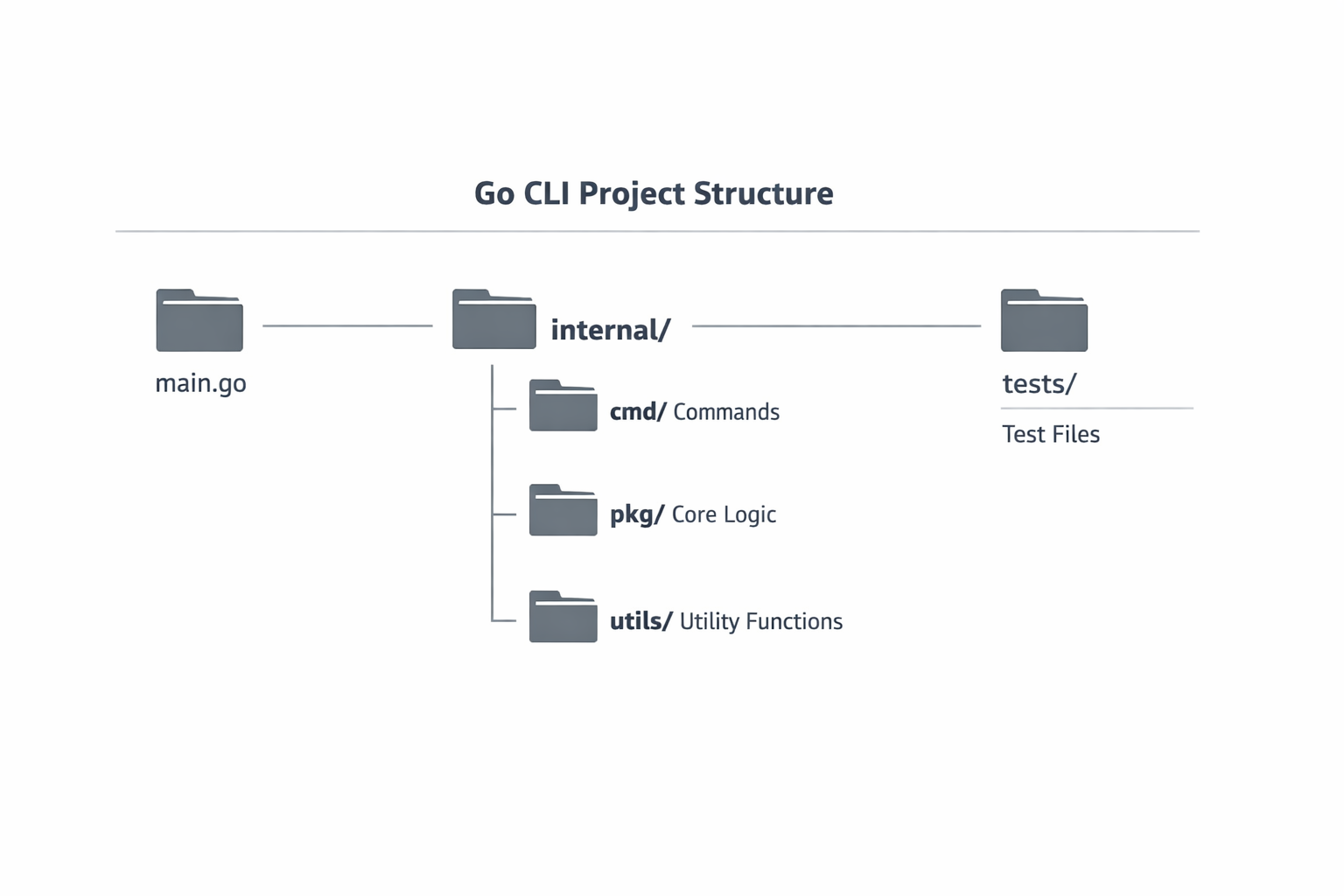
As the project grows, the Go documentation recommends keeping the command in the repository root and putting supporting code in internal/ or separate packages. This is the cleanest way to keep the command executable while preserving a stable external surface area. In practice, that means: root for entrypoint, internal/ for implementation details, and shared helpers only when they genuinely need to be reused by multiple packages. (go.dev)
4) Project Structure for a Clean CLI
A clean project structure prevents your main package from turning into a dump of unrelated code. For a simple single-command CLI, a practical layout is:
todoctl/
  go.mod
  main.go
  internal/
    todo/
      store.go
      store_test.go
      task.go
      task_test.go
This structure follows the Go team’s recommended pattern for commands with supporting packages in internal/. The root directory contains the executable entrypoint, while the implementation details remain in packages that external modules cannot import. That gives you freedom to refactor without breaking public consumers, which is especially useful if the CLI starts as a local tool and later becomes a public package or plugin ecosystem. (go.dev)
The key design rule is that main.go should orchestrate, not implement everything. Let it parse arguments, call into a package, and print results. Put domain logic in internal/todo, data access in internal/store, and formatting in a small separate function or package if needed. That split makes testing easier because you can unit test the logic directly without launching a subprocess every time. It also aligns with Go’s package model, where each package is compiled from files in one directory and import paths are tied to the module path. (go.dev)
5) Argument Parsing Basics
For a simple CLI, the standard library flag package is usually enough. The Go docs describe flag as the command-line flag parser for the standard library, with helpers like flag.String, flag.Bool, and flag.Int, plus support for custom FlagSets and parsing behavior. This is ideal when your tool has one or two flags and you want to avoid extra dependencies. (go.dev)
Here is a minimal example:
package main

import (
	"flag"
	"fmt"
	"os"
)

func main() {
	verbose := flag.Bool("v", false, "enable verbose output")
	flag.Usage = func() {
		fmt.Fprintf(os.Stderr, "Usage: %s [flags] <command> [args]\n", os.Args[0])
		flag.PrintDefaults()
	}
	flag.Parse()

	if *verbose {
		fmt.Println("verbose mode enabled")
	}

	args := flag.Args()
	if len(args) == 0 {
		flag.Usage()
		os.Exit(2)
	}

	fmt.Println("command:", args[0])
}
A few important details matter here. First, flag.Parse() consumes only flags; the remaining items are available via flag.Args(). Second, you should validate the positional arguments yourself, because flags do not know your business rules. Third, a helpful usage function is part of good CLI design, especially when your tool will be used interactively. The standard library supports both default usage output and custom behavior through FlagSet. (go.dev)
For more structured command handling, you can create a FlagSet per subcommand later. That is still standard-library territory and a good stepping stone before adopting a full CLI framework. (go.dev)
6) Building the First Command
Let’s implement a real command: todoctl add "Write tests". Keep the command minimal, but make it robust enough to fail cleanly.
package main

import (
	"encoding/json"
	"errors"
	"fmt"
	"os"
)

type Task struct {
	ID    int    `json:"id"`
	Title string `json:"title"`
	Done  bool   `json:"done"`
}

func main() {
	if len(os.Args) < 2 {
		fmt.Fprintln(os.Stderr, "usage: todoctl add <title>")
		os.Exit(2)
	}

	switch os.Args[1] {
	case "add":
		if err := addTask(os.Args[2:]); err != nil {
			fmt.Fprintln(os.Stderr, "error:", err)
			os.Exit(1)
		}
	default:
		fmt.Fprintln(os.Stderr, "unknown command:", os.Args[1])
		os.Exit(2)
	}
}

func addTask(args []string) error {
	if len(args) == 0 {
		return errors.New("missing task title")
	}

	title := args[0]
	task := Task{ID: 1, Title: title, Done: false}

	data, err := json.MarshalIndent(task, "", "  ")
	if err != nil {
		return err
	}

	fmt.Println(string(data))
	return nil
}
This example deliberately avoids persistence so the core flow is easy to see. In a real version, addTask would call a store layer to load existing tasks, append a new one, and save it back. The important architectural idea is that the command function returns an error instead of calling os.Exit everywhere. That makes the logic testable and keeps exit handling centralized in main. The Go docs for commands and module-based development emphasize this general structure: executable entrypoint in package main, logic elsewhere. (go.dev)
Good exit code discipline matters. By convention, use 0 for success, 1 for runtime failure, and 2 for usage or argument errors. That makes your CLI predictable for shell scripts and automation. Pair that with stderr for errors and stdout for normal output, and your tool will behave like a well-mannered Unix command. This is not a Go-specific rule, but it is essential for professional CLI design. (go.dev)
7) Adding Quality-of-Life Features
Once the first command works, add quality-of-life features only where they improve usability. The most common upgrades are subcommands, config files, environment variables, logging, and richer help/version output. These features are not required for every tool, but they become valuable as soon as the CLI supports more than one workflow. (go.dev)
Subcommands are a natural next step. In Go, you can keep the standard library and dispatch based on os.Args[1], or create a FlagSet for each subcommand so each command gets its own flags and help text. That pattern scales well for add, list, done, and remove, and it still lets you keep all the logic testable. Environment variables are useful for defaults such as storage paths, log level, or output format; config files are useful when the user wants a persistent preference layer; and logging helps separate user-facing output from diagnostic detail. The exact mechanisms are up to you, but the principle is stable: keep defaults sensible and avoid making users memorize too many flags. (go.dev)

Version output is also worth adding early. A --version flag that prints a semantic version, commit hash, and build date can save time during support and debugging. If you use release automation later, you can inject these values at build time using linker flags or generated variables. That kind of polish makes your tool feel complete, even if it remains small. (go.dev)
8) Testing the CLI
Testing is where Go shines for CLI work. The Go toolchain has first-class testing support, and the recommended project layout keeps test files beside the code they cover. For a CLI, you generally want three levels of coverage: unit tests for business logic, table-driven tests for parsing and validation, and command-behavior tests for end-to-end flows. (go.dev)
The strongest strategy is to separate logic from I/O. For example, if internal/todo contains AddTask, ListTasks, and MarkDone, you can unit test those functions directly with in-memory data. Then you can write small tests for the command layer that pass argument slices into parser functions and assert on output strings or returned errors. This keeps tests fast and avoids launching subprocesses unless you actually need to validate the compiled binary’s behavior. (go.dev)
Table-driven tests are especially idiomatic in Go because they make edge cases visible and easy to extend. You can test cases like empty titles, invalid IDs, duplicate tasks, and missing flags in a compact structure. For CLI testing, define a helper that captures stdout and stderr, or use a thin wrapper around your command logic so main() remains a small shell around testable code. That approach aligns with the Go documentation’s emphasis on packages and module layout: the closer your logic lives to ordinary functions and packages, the easier it is to validate. (go.dev)
9) Packaging and Distribution
One of the biggest advantages of Go CLIs is packaging simplicity. Because Go builds static or self-contained binaries in many cases, distribution can be as simple as compiling once per target platform and shipping the result. The Go command documentation and module docs describe how the toolchain builds commands, and the module layout docs explicitly note that a command can be installed with go install module/path@latest when it is published as a module. (go.dev)
For release builds, use go build or go install with explicit version tags from a release pipeline. Common targets include Linux, macOS, and Windows across both amd64 and arm64. Go supports cross-compilation through environment variables like GOOS and GOARCH, which makes release automation straightforward. Your release script can loop through target combinations, build binaries, and attach them to a Git tag. (go.dev)
A practical distribution workflow looks like this:
git tag v1.0.0
git push origin v1.0.0

GOOS=linux GOARCH=amd64 go build -o dist/todoctl-linux-amd64 .
GOOS=darwin GOARCH=arm64 go build -o dist/todoctl-darwin-arm64 .
GOOS=windows GOARCH=amd64 go build -o dist/todoctl-windows-amd64.exe .
If you publish the module publicly, users can install it directly with go install your/module@latest, provided your repository and version tags are set up correctly. The Go module system is designed for this exact workflow, with the go.mod file defining the module path and dependency requirements. (go.dev)
10) Next Steps and Enhancements
Once your CLI is useful and stable, decide whether you still want to stay with the standard library or move to a CLI framework. For many small tools, flag is enough. If your command tree grows, however, a framework such as Cobra or urfave/cli may be worth adopting because it gives you subcommand routing, help generation, completion support, and a more opinionated command structure. The tradeoff is dependency weight and framework conventions, so it is best to switch only when the complexity justifies it. (go.dev)
Beyond frameworks, the next useful enhancements are usually operational rather than architectural: shell completions, man-page or README generation, structured logging, CI automation, and release pipelines. Completion scripts reduce friction for users. Generated docs reduce support questions. CI ensures the CLI still builds and tests on every commit. And automation for versioning, changelogs, and cross-platform release artifacts turns a small internal utility into a professional tool. Go’s module-based workflow and command-line conventions make all of this easier to maintain than it would be in a more ad hoc project structure. (go.dev)
Conclusion
Creating a simple CLI tool in Go is mostly about making a few good early decisions: keep main thin, isolate logic in packages, use the standard library where it is sufficient, and design your command around clean inputs, outputs, and exit codes. Go’s module system, executable-package conventions, and built-in flag support make that workflow direct and predictable. (go.dev)
If you follow the patterns in this guide, you will end up with a CLI that is easy to test, easy to ship, and easy to grow. Start small with the standard library, add structure only when you need it, and move to a framework later if your command surface becomes complex. That is the most maintainable path for most Go tools. (go.dev)