How to Architect Background Processing in SaaS Products: Patterns, Scaling, and Best Practices
August 5, 2026
Background processing is one of the quiet superpowers of a well-designed SaaS product. Users may only see a button click, a report download, or a notification arriving later, but behind the scenes, background jobs are doing the hard work: sending emails, generating PDFs, syncing data, running billing workflows, reindexing search, resizing images, and calling third-party APIs. When done well, background processing keeps the product responsive, reduces timeouts, improves reliability, and helps you manage costs by absorbing bursts instead of overprovisioning for peak traffic. Microsoft’s architecture guidance frames this clearly: queues smooth intermittent heavy loads, protect services from overload, and let consumers run at a controlled rate. (learn.microsoft.com)
For SaaS teams, the challenge is not simply “how do we run jobs in the background?” It is how to design a system that is safe under retry, scalable under burst, observable in production, fair across tenants, and resilient when downstream dependencies fail. That means making deliberate choices about what should happen synchronously, what should be queued, how workers should scale, and how you will detect and recover from failures. The sections below walk through a practical reference architecture and the patterns that make background processing dependable at SaaS scale. (learn.microsoft.com)

1) Introduction: Why background processing matters in SaaS and the core problems it solves
In a SaaS product, synchronous request handling is best reserved for work that must complete immediately for the user to continue. Everything else is a candidate for background processing. This includes expensive operations like document rendering, bulk imports, webhook fanout, analytics aggregation, and integration syncs. Offloading these tasks keeps your API fast and reduces the risk that a slow dependency turns a simple request into a timeout. It also gives you room to absorb bursts, because a queue can act as a buffer between demand and processing capacity. Microsoft’s Queue-Based Load Leveling pattern explicitly recommends placing a queue between producers and consumers to smooth uneven load and improve availability. (learn.microsoft.com)
The core problems background processing solves are pretty consistent across SaaS products. First, it reduces perceived latency: users get a quick acknowledgment instead of waiting for a long task to finish. Second, it improves throughput: workers can process jobs independently of web requests, often with different concurrency settings and resource profiles. Third, it controls blast radius: if a downstream API is slow or unavailable, jobs can wait rather than causing your frontend to fail. Fourth, it can lower cost: instead of provisioning web servers for rare peaks, you can keep a smaller baseline and scale workers up when queue depth increases. These are not just architectural niceties; they are the difference between a SaaS app that feels reliable and one that feels fragile under real-world load. (learn.microsoft.com)
A good mental model is to treat background processing as a reliability boundary. The web app accepts intent from the user; the queue captures work; workers execute it; storage records state; observability closes the loop. That separation makes it easier to evolve your system over time without coupling every product feature to the same request-response path. (learn.microsoft.com)
2) When to use background jobs vs synchronous APIs: latency, UX, throughput, and cost tradeoffs
The first design decision is whether a task belongs in the user’s request path or in the background. The rule of thumb is simple: if the user needs the result before they can proceed, keep it synchronous; if they only need confirmation that the work was accepted, make it asynchronous. This is as much a product decision as an engineering one. A “Generate report” action, for example, usually does not need the PDF returned inline. A “Create invoice and charge card” flow may need partial synchronous checks, but the final email receipt and downstream syncs can run later. Queue-based load leveling is most valuable when work arrives in bursts or when downstream services have strict rate limits. (learn.microsoft.com)
Latency is usually the clearest signal. If a task frequently pushes request times toward user-noticeable delays or timeout thresholds, moving it to a job is often worth it. But there is a UX tradeoff: asynchronous work introduces eventual consistency. Users may have to wait for a status update, refresh a page, or receive a notification when processing completes. The best SaaS products make that waiting explicit by showing job status, progress, or a “we’ll email you when it’s ready” message. That makes the system feel intentional rather than broken. Microsoft’s guidance also notes that background jobs are a good fit when the request volume is bursty, but less useful when the workload is predictably low and stable. (learn.microsoft.com)
Throughput and cost are the other major tradeoffs. A synchronous API often forces you to size infrastructure for peak load, because every request must complete quickly. A queued architecture lets you size workers for average load and temporarily scale out when backlog increases. This can be dramatically more efficient, especially for workloads with spiky usage patterns such as batch imports, on-demand report generation, or end-of-day billing. AWS’s messaging guidance also highlights asynchronous queues as a way to decouple services and buffer requests for task processing. (docs.aws.amazon.com)
The downside of background jobs is complexity. You inherit retries, duplicate processing, delayed failures, and state reconciliation. If the operation is trivial, short, and highly user-visible, synchronous APIs are often better. If the operation is expensive, failure-prone, rate-limited, or naturally eventual, background processing is usually the stronger pattern. The right answer is rarely “all async” or “all sync”; the best SaaS systems mix both deliberately. (learn.microsoft.com)
3) Reference architecture: web app, queue, worker fleet, scheduler, database, cache, and observability
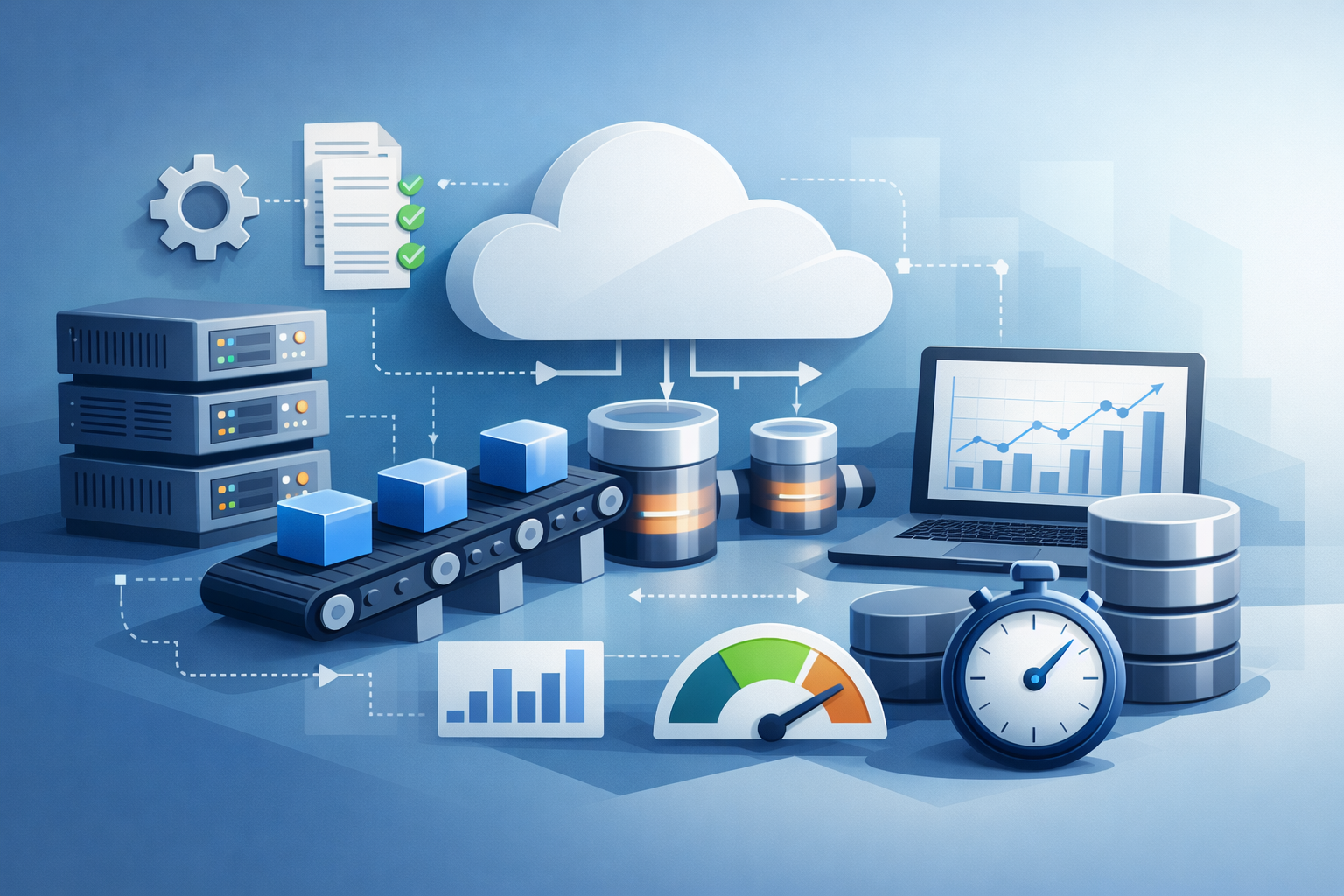
A practical reference architecture for SaaS background processing usually includes seven pieces: the web app, a queue, a worker fleet, a scheduler, a database, a cache, and an observability stack. The web app receives requests and writes a durable job record or event to the database. It then enqueues work, often with a job identifier and enough context for the worker to process it independently. The queue buffers demand and decouples the API from execution. Workers pull jobs from the queue, perform the task, and persist state transitions back to the database. The scheduler creates recurring jobs or time-based triggers. The cache helps with temporary status, deduplication windows, rate limiting, or quick lookups. Observability tracks the full journey from enqueue to completion. (learn.microsoft.com)

The database is the source of truth for job state, especially in SaaS systems where you need auditability and tenant-level visibility. A queue should not be treated as your system of record; it is a transport and buffering layer. Microsoft’s background jobs guidance emphasizes using background tasks with durable storage and load-leveling patterns rather than relying on transient execution alone. That approach makes retries and recovery more manageable. (learn.microsoft.com)
The cache is optional, but useful. You might store short-lived progress updates, last-seen job status, or per-tenant counters. For high-volume systems, a cache can also help with deduplication keys and throttling decisions. Just remember that cache data is usually disposable; the persistent state still belongs in your database. Redis’s observability guidance reinforces the importance of monitoring capacity and queue-related metrics when using Redis-backed systems in production. (redis.io)
Observability deserves to be part of the architecture, not an afterthought. You want to know how many jobs are enqueued, how long they wait before a worker starts them, how long they take to finish, how many fail, and how many end up in a dead-letter queue. Without those signals, you are flying blind: a growing queue may look like “the system is up” while customers are actually waiting longer and longer for results. (learn.microsoft.com)
4) Queue-based load leveling and event-driven processing: smoothing bursts and protecting downstream services
Queue-based load leveling is one of the most important patterns in SaaS background processing. The idea is straightforward: instead of sending work directly from the web layer to the downstream service, place a queue in between. That queue acts as a shock absorber. When demand spikes, the queue absorbs the burst, and workers drain it at a rate the system can sustain. Microsoft describes this pattern as smoothing intermittent heavy loads that might otherwise cause failures or timeouts. (learn.microsoft.com)
This pattern protects downstream services in two ways. First, it limits concurrency. Rather than having hundreds of web requests all call the same API or database at once, a worker pool can process items at a controlled rate. Second, it gives you a place to pause. If a downstream service starts returning errors or rate limits, workers can slow down, retry later, or temporarily stop consuming from the queue. That is much safer than allowing every request thread to retry aggressively and amplify the outage. Azure’s guidance notes that a queue-based design helps when a service may be overloaded by unpredictable traffic and when you want the application to remain responsive even if the downstream service is unavailable. (learn.microsoft.com)
Event-driven processing often pairs naturally with this model. Instead of making the web app directly “do the thing,” it emits an event: user subscribed, file uploaded, invoice paid, project created. Workers or downstream consumers react to the event and perform the necessary steps. This creates loose coupling and makes it easier to add new capabilities over time, such as analytics, notifications, or integrations, without modifying the synchronous request path. AWS’s decision guide also positions SQS for decoupling microservices and buffering asynchronous tasks. (docs.aws.amazon.com)
The main danger of load leveling is hidden backlog. If your producer rate exceeds your consumer rate for too long, the queue grows and latency climbs. That is why queue depth, enqueue rate, and age of oldest message matter so much. Load leveling is not a substitute for capacity planning; it is a tool for absorbing variance while keeping the system healthy. The right operational stance is to monitor backlog and scale consumers within safe limits, or shed work at the edge when necessary. (learn.microsoft.com)
5) Reliability patterns: idempotency, retries, dead-letter queues, deduplication, and poison-message handling
Background systems succeed or fail on reliability details. The first and most important rule is idempotency: processing the same job more than once must not create duplicate side effects. This matters because many queue systems are at-least-once, meaning a consumer may receive a message more than once. Azure explicitly recommends idempotent consumers for queue-based load leveling, and AWS’s durable execution guidance also emphasizes idempotency and retries as a best practice. (learn.microsoft.com)
Retries are essential, but they need guardrails. Transient failures happen: a network hiccup, a temporary 503, a dead database connection. A well-designed worker retries with backoff and jitter, and it distinguishes transient errors from permanent ones. Permanent failures should not cycle forever. That is where dead-letter queues come in. Azure’s guidance recommends routing unprocessable messages to a dead-letter queue so they do not block the main queue and so operators can inspect, fix, and replay them when appropriate. (learn.microsoft.com)
Deduplication is the other half of reliability. Use a stable idempotency key for each logical job or business action. That key might be a combination of tenant ID, action type, and business object ID. Store it in a database table or a fast cache with a uniqueness constraint. If the same job is submitted twice, the system can safely return the existing result instead of starting duplicate work. This is especially important for billing, notifications, and webhooks, where duplicate side effects can become expensive or customer-visible very quickly. AWS’s idempotency guidance is particularly relevant here: duplicate requests often mean the first attempt already succeeded, so the system should treat the replay carefully rather than blindly repeating the action. (docs.aws.amazon.com)
Poison messages are the jobs that fail repeatedly because of malformed data, missing dependencies, or code paths that never succeed. These are dangerous because they consume worker time and create noise. A robust system detects repeated failures, moves the message aside, records the reason, and alerts an operator. Good operational hygiene means you can distinguish “the system is under transient stress” from “this specific job is broken forever.” That distinction is what keeps background processing dependable instead of mysterious. (learn.microsoft.com)
6) Scaling strategy: scale on queue depth, independent worker scaling, and scale-to-zero for bursty workloads
One of the biggest advantages of background processing is that the worker tier can scale independently from the web tier. Your API may need to stay warm for user traffic, while workers can ramp up and down based on backlog. This separation is what makes background processing economically attractive: you are no longer forcing your front end to carry the load of asynchronous execution. Microsoft’s guidance notes that scale-out can be based on queue backlog, with workers processing messages at a controlled rate. (learn.microsoft.com)
Scaling on queue depth is the most common strategy. If queue length or age of the oldest message rises above thresholds, add workers. If it falls below thresholds, scale down. The key is to tie scaling to business-relevant signals, not just CPU. A worker may be CPU-light while waiting on network calls, but still be behind on actual work. Queue age and backlog are better indicators of user impact than raw resource use. Azure’s architecture guidance describes target-based and backlog-aware scaling for queue-driven workers, which is a useful model even if you are using another cloud. (learn.microsoft.com)
Independent scaling also means you can tune concurrency differently for different job types. A CPU-heavy image processor might need fewer concurrent jobs per node. A network-bound webhook sender can usually run many more in parallel, provided the downstream service can handle it. The important part is that each worker pool is sized for its workload rather than sharing a one-size-fits-all policy. That flexibility is often the difference between a system that merely “handles load” and one that handles it efficiently. (learn.microsoft.com)
Scale-to-zero is especially attractive for bursty SaaS workloads such as nightly exports, periodic syncs, or infrequent tenant-admin actions. If your platform supports it, shutting workers down completely during idle periods can reduce spend significantly. The tradeoff is cold start time, so this works best when users tolerate a short delay before processing begins. In practice, many teams use a small warm baseline plus elastic burst capacity. That gives you a fast response for the first jobs while still saving money during quiet periods. (learn.microsoft.com)
7) Long-running workflows and orchestration: when to use state machines, durable workflows, or job chains
Not every background task is a single queue message. Some SaaS features involve long-running workflows with multiple steps, human approval, compensation logic, or waits between stages. Examples include onboarding flows, invoice collection, data migrations, customer provisioning, and multi-step integrations. For these, a simple queue plus worker can become awkward because the workflow state is spread across multiple jobs and retries. That is when orchestration patterns become valuable. (learn.microsoft.com)
A state machine or durable workflow engine is a better fit when you need to coordinate many steps and preserve progress through failures. Instead of treating each step as an isolated job, the workflow engine remembers which step succeeded, which step is pending, and what should happen next. This makes retry, compensation, and timeout handling much clearer. Microsoft’s background-jobs guidance points to using background tasks in a structured way for more complex processing, and stateful orchestration is the natural extension of that idea. (learn.microsoft.com)
Job chains are a lighter-weight alternative. In a chain, each job enqueues the next job after completing its own step. This is often enough for simple pipelines like “import CSV, validate rows, transform data, generate summary, notify user.” The upside is simplicity. The downside is that the state of the whole workflow can be harder to inspect unless you persist explicit progress records. If a chain has many branches, retries, or external waits, it can become difficult to reason about. At that point, a durable workflow system usually pays for itself. (learn.microsoft.com)
The basic rule is to keep simple jobs simple, but recognize when the problem has become orchestration rather than task execution. If you need a timeline of progress, pause/resume behavior, or strong recovery semantics, use a workflow tool or state machine instead of inventing that logic inside ad hoc workers. That keeps your SaaS architecture easier to debug and easier to evolve. (learn.microsoft.com)
8) Multi-tenant SaaS concerns: tenant isolation, noisy-neighbor control, fairness, and per-tenant quotas
Multi-tenant SaaS makes background processing more complicated because load is no longer just “how much traffic do we have?” It is also “which tenants are producing it?” A single large tenant can saturate queues, workers, downstream APIs, and databases if you do not enforce fairness. That is why tenant-aware design matters. Work should be tagged with tenant identity from enqueue to completion, and the system should be able to measure and control usage per tenant. (learn.microsoft.com)
Tenant isolation can take several forms. The most strict approach is separate queues or worker pools per tenant or tenant class. That gives strong blast-radius reduction but increases operational overhead. A middle-ground approach is shared infrastructure with per-tenant partitions, priorities, or rate limits. The right choice depends on your SLA, tenant size distribution, and compliance posture. Azure’s queue patterns note that ordering and partitioning concerns often affect how you split work, and those same ideas can be adapted to tenant isolation strategies. (learn.microsoft.com)
Noisy-neighbor control is especially important for predictable fairness. If a single tenant uploads a massive file batch, it should not starve everyone else. You can handle this with per-tenant concurrency limits, weighted scheduling, priority queues, or separate quotas for premium and standard tiers. Queue depth alone is not enough; you want to know backlog by tenant so you can detect when one tenant is consuming disproportionate capacity. Azure’s priority queue and sequential convoy patterns illustrate how separating classes of work can preserve order and fairness where it matters. (learn.microsoft.com)
Per-tenant quotas also help with billing and product design. They let you define what “reasonable use” means, protect shared infrastructure, and provide a foundation for paid plan differentiation. The enforcement mechanism can be simple: reject or defer jobs when a tenant exceeds limits, or place excess work in a lower-priority lane. The important thing is to make fairness explicit rather than assuming shared queues will behave politely on their own. (learn.microsoft.com)
9) Security and compliance: least-privilege access, secret isolation, network boundaries, and auditability
Background workers often touch the most sensitive parts of a SaaS system: customer data, payment flows, third-party integrations, and administrative actions. That makes security and compliance non-negotiable. The first principle is least privilege. Workers should only have access to the resources and actions they need for their specific job types. If one worker pool only generates thumbnails, it should not also be able to read billing tables or production secrets it never uses. (learn.microsoft.com)
Secret isolation matters because background jobs often need credentials for downstream services. Those secrets should be stored in a dedicated secret manager, injected only into the worker environment that needs them, and rotated regularly. Avoid embedding secrets in queued payloads. A queue message can outlive a deployment or a key rotation, so the safest design is to pass identifiers and look up secrets or configuration at execution time. That keeps your payloads smaller and reduces the risk of accidental exposure. (learn.microsoft.com)
Network boundaries are equally important. If workers call internal databases or private APIs, place them inside restricted network segments and limit egress to known destinations. This reduces the damage from compromised credentials and simplifies compliance reviews. For regulated environments, the audit trail matters too: you want to know who requested the job, which tenant it belonged to, when it ran, what it touched, and whether it succeeded. Queue messages alone are not enough for auditability; pair them with immutable logs or database records so your system can answer operational and compliance questions later. (learn.microsoft.com)
Good security design also improves reliability. Restricting worker permissions and network access reduces the chance that a bad job can trigger accidental side effects or cascade failures. In practice, security and operations are intertwined: the safest background-processing architecture is often also the most maintainable one. (learn.microsoft.com)
10) Monitoring and operations: enqueue-to-complete latency, job duration, backlog health, failure alerts, and cost optimization
If background processing is invisible, it is only a matter of time before it becomes painful. Strong observability is what turns a job system into a dependable product feature. The most important metric is enqueue-to-complete latency: how long it takes for a job to go from accepted to done. That metric reflects what customers actually experience. Queue depth matters too, but it is only part of the picture. A small queue with very slow jobs can be just as bad as a large queue with fast jobs. Microsoft’s guidance emphasizes monitoring queue depth and scaling consumers appropriately when the producer rate exceeds the consumer rate. (learn.microsoft.com)
Job duration is another key signal. If duration increases over time, you may have a downstream bottleneck, a code regression, or a resource constraint. Failure rate and retry rate help distinguish transient issues from systemic ones. Dead-letter queue depth tells you how much work is stuck because it cannot be processed automatically. For many teams, alerting on DLQ growth is one of the fastest ways to catch a hidden production issue before customers complain. Azure’s guidance explicitly recommends monitoring DLQ depth and investigating the underlying cause. (learn.microsoft.com)
Backlog health is more than “how many items are waiting.” You should watch age of oldest message, tenant-level backlog concentration, queue drain rate, and worker saturation. These metrics tell you whether the system is catching up or falling behind. Redis’s observability docs reinforce the broader point that queue and memory metrics should be watched for trends, not just snapshots, because capacity problems often emerge gradually. (redis.io)
Finally, cost optimization should be part of operations, not a separate finance conversation. Background processing can save money when it lets you right-size for average load, but it can also waste money if workers are overprovisioned or retries are thrashing. Use autoscaling, right-size concurrency, prune stale jobs, set retention policies, and retire zombie queues. The goal is not merely to keep jobs running; it is to keep them running efficiently and predictably. (learn.microsoft.com)
Conclusion: key takeaways
Background processing is not just an infrastructure choice; it is a product and reliability strategy. It helps SaaS teams keep the app responsive, absorb bursts, protect downstream services, and control cost. The best systems use queues to level load, workers to execute tasks independently, and observability to keep the whole pipeline trustworthy. (learn.microsoft.com)
The most important design habits are to make job handlers idempotent, implement retries with dead-letter handling, scale on backlog rather than guesswork, and treat multi-tenant fairness as a first-class concern. For longer workflows, move beyond simple jobs and use orchestration or durable workflow patterns. And for security, keep workers on least privilege with tight network boundaries and auditable records. (learn.microsoft.com)
If you build background processing with these principles, you get more than an asynchronous job runner. You get a resilient execution layer that can grow with your SaaS product instead of fighting it. (learn.microsoft.com)