
Build a Minimal Auth App with Next.js and PostgreSQL: A Modern Step-by-Step Guide
June 18, 2026
A minimal authentication app is the smallest production-minded system that can securely sign users up, log them in, keep them authenticated across requests, and log them out. In practice, that means you need three things: a user store, a session mechanism, and a UI flow that handles credentials safely. If you keep the scope intentionally small, you can build something that is easy to reason about, test, and extend later without inheriting a lot of framework-specific complexity.
Next.js App Router is a strong fit for this kind of project because it lets you keep UI, server logic, and request handling in one codebase while still drawing clean boundaries between client and server. The App Router is built around Server Components and Server Functions, and Next.js explicitly supports authentication patterns using forms, Server Actions, Route Handlers, and cookies. That combination works especially well for auth because you can validate form submissions on the server, set secure session cookies, and protect routes before rendering sensitive pages. (nextjs.org)
For persistence, PostgreSQL is a natural choice because it is mature, fast, and very good at enforcing relational integrity. It also gives you the indexing tools you need to keep logins, email lookups, and session validation efficient as the app grows. PostgreSQL’s documentation emphasizes that indexes are primarily there to improve performance, and it supports B-tree indexes, unique constraints, and more advanced indexing options when needed. (postgresql.org)

1) Introduction: What a Minimal Auth App Is and Why Next.js App Router Fits
A minimal auth app is not “toy” authentication. It is a deliberately small implementation that includes the core security and persistence primitives required by most applications: user registration, password verification, session creation, session lookup, and session invalidation. Anything beyond that—password reset flows, email verification, MFA, social login, audit trails, device management—can be layered on later. Starting small matters because authentication code is security-sensitive, and the easiest way to introduce bugs is to over-engineer it before the basics are solid.
The App Router in Next.js is a particularly good environment for this because it encourages a server-first mental model. Next.js documents that App Router uses React Server Components and Server Functions, and it also explicitly notes that you can set cookies in Server Actions or Route Handlers. That is exactly what you want in an auth system: credential handling and session issuance should happen on the server, not in the browser. Next.js also recommends using forms together with Server Actions and useActionState to capture credentials and validate them on the server. (nextjs.org)
For developers, the practical advantage is clarity. Your signup form can submit to a server action, your login endpoint can live in a route handler, and your protected pages can read session state during server rendering. This reduces client-side complexity and avoids exposing sensitive logic to the browser. It also makes it easier to integrate with PostgreSQL, because the same server runtime can connect to the database, run migrations, and issue sessions. If you later adopt a higher-level auth provider, the same UI and route structure can often stay in place.
A minimal auth app is therefore an ideal learning project and a strong production foundation. It teaches the full lifecycle of authentication without forcing you into a giant abstraction stack on day one. And because the App Router supports both modern form handling and explicit request handlers, it gives you a clean route to build the system in a way that is both simple and secure. (nextjs.org)
2) Project Setup: create-next-app, TypeScript, Environment Variables, and Local PostgreSQL Configuration
Start by scaffolding a Next.js application with TypeScript enabled. Next.js documents create-next-app as the recommended way to create a new app, and the App Router docs describe this as the entry point for building full-stack applications. For an auth app, TypeScript is worth the small upfront cost because it helps you keep request payloads, database records, and session shapes consistent across the stack. (nextjs.org)
A practical setup looks like this:
npx create-next-app@latest minimal-auth-app --ts --app --eslint
cd minimal-auth-app
Once the project exists, define environment variables in .env.local for local development. You will typically need at least:
DATABASE_URL="postgresql://postgres:postgres@localhost:5432/minimal_auth"
SESSION_SECRET="replace-with-a-long-random-secret"
Keep secrets out of source control and use separate values for development, staging, and production. For local PostgreSQL, you can use a native installation or run it in Docker. The important part is that your application sees a stable connection string and that your database is isolated from unrelated workloads during development. If you use Docker, a simple Postgres container is enough for initial work; if you use a local install, verify that the server is reachable and that the minimal_auth database exists before you try to run migrations.
At this stage, also decide on a lightweight data access layer. For a minimal auth app, a lightweight ORM or SQL client is often enough. Prisma has official Next.js guidance for integrating with PostgreSQL and handling migrations, and its docs show a Next.js/App Router setup using provider = "postgresql" in the schema. If you prefer raw SQL, that is fine too, as long as you centralize your queries and parameterize inputs. The key is to keep the database layer small and explicit. (prisma.io)
3) Database Design: Users Table, Password Hashing Fields, Session Strategy, and Indexes
For a minimal auth system, the users table should be small but opinionated. At a minimum, it should store an internal ID, a unique email or username, the password hash, and timestamps. If you want role-based access, add a role column early instead of bolting it on later. A practical schema might include:
idas a UUID or bigserial primary keyemailas a unique, case-normalized identifierpassword_hashas the stored password verifierroleas something likeuseroradmincreated_atandupdated_at
Do not store plaintext passwords, and do not store reversible encryption for passwords. OWASP’s Password Storage Cheat Sheet is explicit: passwords should be protected with slow hashing algorithms such as Argon2id, bcrypt, or PBKDF2, with unique salts per password. It also recommends Argon2id when available, with scrypt or PBKDF2 as alternatives in specific circumstances. (cheatsheetseries.owasp.org)
For the password field itself, a single password_hash column is usually enough, because modern password hash encodings typically embed the algorithm, salt, and work factor in the stored string. That means you can upgrade algorithms later without changing your schema. If you want migration flexibility, you can also add password_algo or password_updated_at, but that is optional for a minimal app.
The session strategy should be simple. The most common minimal design is a separate sessions table with a random session token hash, a user ID foreign key, and expiry timestamps. You create a long random token at login, store only its hash in the database, and send the raw token to the browser in an HttpOnly cookie. That way, if your database is compromised, the attacker does not immediately get live sessions. This is a good tradeoff for many apps because it supports server-side invalidation and multi-device sign-in.
Indexes matter here because authentication paths are latency-sensitive. You will frequently look up users by email and sessions by token hash or session ID. PostgreSQL’s documentation states that indexes are primarily used to improve performance, and unique indexes are especially useful for preventing duplicate users. In practice, you should index email uniquely and index the session lookup column as well. If you store session expiry data, an additional index on expires_at can help cleanup jobs remove stale sessions efficiently. (postgresql.org)
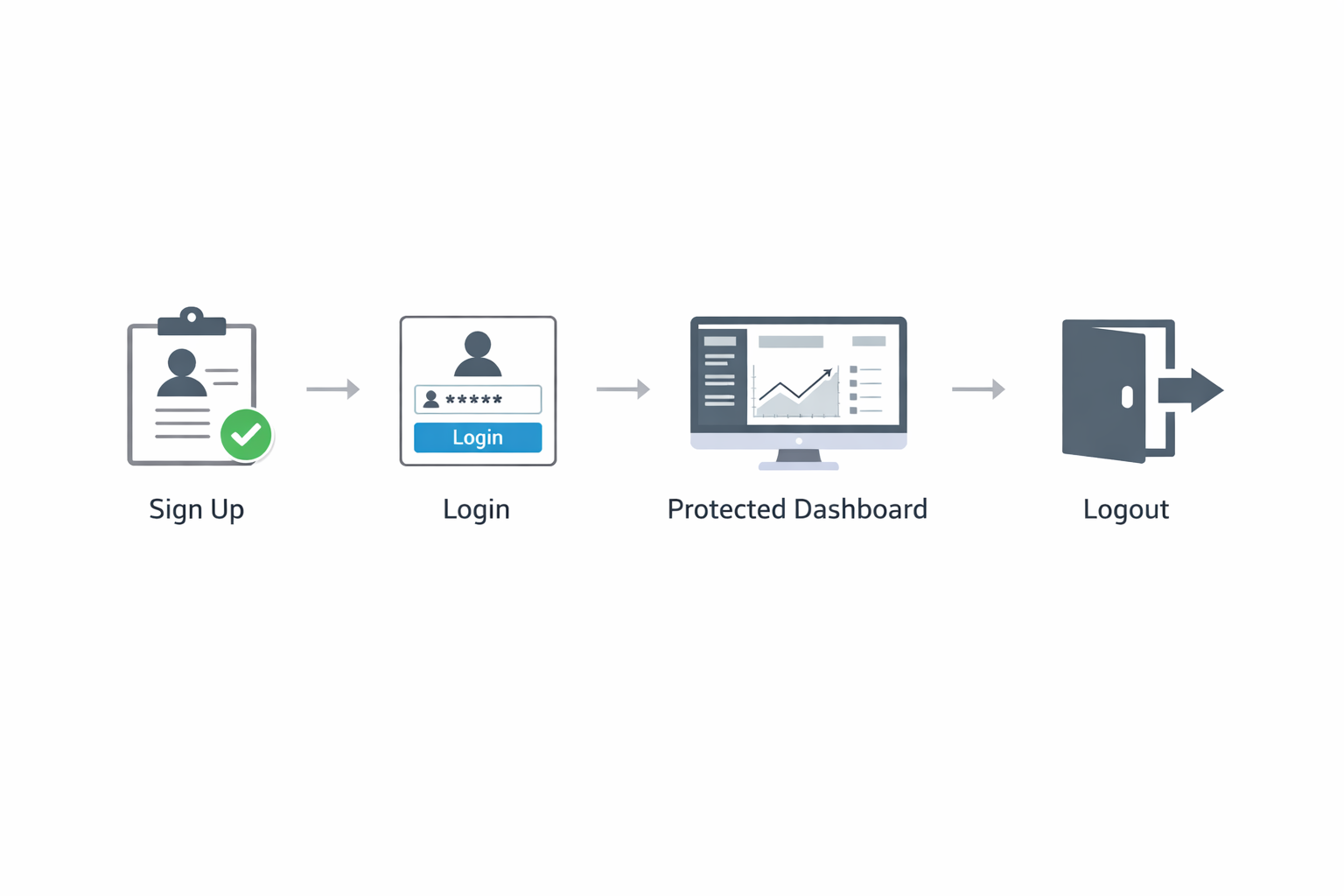
4) Authentication Flow: Signup, Login, Logout, and Session Persistence with Server Actions or Route Handlers
A good minimal auth flow has four server-side steps: register, verify credentials, establish session, and destroy session. In Next.js App Router, you can implement these using either Server Actions or Route Handlers. Next.js supports both, and its authentication guidance specifically highlights forms with Server Actions and useActionState, while its Route Handlers docs explain how to define request handlers in app/api/.../route.ts. (nextjs.org)
For signup, the flow is:
Validate the incoming form fields.
Normalize the email.
Check whether the user already exists.
Hash the password with a slow algorithm.
Insert the new user row.
Create a session and set an HttpOnly cookie.
For login, the flow is similar:
Validate the submitted email and password.
Load the user by email.
Verify the password against the stored hash.
Create a new session if the credentials are valid.
Set the session cookie and redirect the user.
For logout, invalidate the session record in the database and clear the cookie. That dual action matters because deleting the cookie alone does not revoke server-side state. If you use database-backed sessions, the session table becomes the source of truth.
Server Actions are especially appealing for form submissions because they keep the request logic close to the UI component that triggers it. Route Handlers are better when you want a more traditional API endpoint or when you need to support multiple consumers. Next.js explicitly recommends treating Route Handlers like public-facing API endpoints and applying the same security checks you would use anywhere else. (nextjs.org)
Session persistence is usually handled by reading the session cookie on the server during subsequent requests. If the cookie is present, hash or lookup the token, verify that the session is still valid, and hydrate the current user from the database. Because App Router supports server-side data fetching naturally, this can happen before a protected page renders. That is one of the biggest advantages of the framework: the authenticated state can be established without an extra client-side round trip.
5) Security Essentials: Password Hashing, Input Validation, CSRF Considerations, Secure Cookies, and Rate Limiting
Authentication security starts with password storage. OWASP recommends modern slow hashing algorithms such as Argon2id, with unique salts and appropriately tuned work factors. The goal is to make offline brute-force attacks expensive if credentials are leaked. For a minimal app, you should never use SHA-256 or another fast general-purpose hash for passwords, because those are designed for speed, not resistance to guessing attacks. (cheatsheetseries.owasp.org)
Input validation should happen on the server even if the client also validates. Treat form data as untrusted and verify length, shape, and basic semantics. For example, reject empty emails, enforce sane password lengths, normalize email case, and ensure that the signup payload matches your expected schema. This is one place where a small validation library or a shared schema definition pays off quickly.
CSRF deserves careful thought. If you use cookie-based sessions, browser requests may automatically include those cookies, so state-changing endpoints need protection. One common defense is to use same-site cookies plus server-side origin checks for sensitive mutations. For forms that submit directly to server actions or route handlers, you should also make sure the action is only reachable from your app and that you reject requests with suspicious origins. Next.js warns that route handlers should be treated like public API endpoints, which is another reminder to validate all assumptions on the server. (nextjs.org)
Cookies should be HttpOnly, Secure in production, and set with an appropriate SameSite value. HttpOnly helps prevent JavaScript from reading session tokens, and Secure ensures they only travel over HTTPS. SameSite=Lax is often a reasonable starting point for auth cookies because it reduces CSRF risk while preserving normal navigation behavior, though your exact choice depends on how your app is embedded and whether it must support cross-site flows.
Rate limiting is another essential control. Even a minimal auth app should slow down login attempts and signup abuse. You can implement basic IP-based or account-based throttling in your route handlers, or move to a central rate-limit service later. The exact mechanism matters less than the existence of a control. Without it, your app is much easier to brute-force or abuse with credential stuffing traffic.
6) Protected Routes and Access Control: Middleware, Server-Side Checks, and Role-Based Access Patterns
Protected routes should be enforced in more than one place. Middleware can block unauthenticated requests early, but server-side checks remain necessary because middleware is not your only execution path and because direct route access still needs to be validated. In a minimal Next.js auth app, the best pattern is layered defense: use middleware to improve UX and reduce unnecessary rendering, then verify the session again in server components, server actions, or route handlers before returning sensitive data.
A practical approach is to define route groups such as /dashboard, /settings, and /admin, and require an authenticated session for each. Middleware can redirect anonymous users to /login, while server-side page code can load the session and user record before rendering. This prevents flash-of-unauthenticated-content problems and keeps the page consistent even if the client state is stale.
For role-based access, keep authorization data in the user record or a separate roles table depending on your needs. In a minimal app, a role column is sufficient. Then, in server-side checks, verify both the session and the role before allowing access to admin-only actions. For example, an admin page should not merely check that the user is signed in; it should also confirm that the user’s role is allowed to perform the action. That distinction between authentication and authorization is critical.

Server-side authorization is the right default because it keeps policy close to the data. If a route returns sensitive records or performs privileged mutation, the check should happen in the same code path that touches the database. Middleware is helpful for redirecting or simplifying navigation, but it should not be your only line of defense. Next.js’s guidance around authentication emphasizes exactly this idea: secure the handler or server action itself, not just the UI around it. (nextjs.org)
7) UI Implementation: Minimal Auth Screens, Form Validation, Loading States, and Error Handling
The UI for a minimal auth app should be intentionally plain. You need a signup page, a login page, and a small authenticated dashboard or account page to confirm that the flow works. The best UI is the one users can understand quickly and developers can maintain easily. In App Router, that often means server-rendered pages with forms that post to server actions, plus small client components for local interaction details like loading states.
A robust form should include:
Field-level labels and accessible inputs
Client-side hints, but not client-only validation
A loading state while the action is pending
Clear error feedback for invalid credentials or duplicate accounts
Success redirects after signup or login
Next.js specifically recommends using forms with Server Actions and useActionState to capture credentials and validate the input server-side. That is useful because it lets you keep the source of truth in the backend while still giving users immediate feedback in the UI. (nextjs.org)
For errors, split them into categories. Validation errors should be shown inline and tied to the relevant field. Authentication errors should be generic enough to avoid leaking information, especially on login. For example, avoid revealing whether an email exists. Operational errors, such as database timeouts or connection failures, should be logged server-side and shown to users as a non-specific retry message.
Loading states matter more than they seem. They prevent double submissions and make auth flows feel reliable. A disabled submit button, a spinner, and a short “Signing in…” label go a long way. Since authentication can involve hashing and database round trips, the UI should communicate that a request is in progress.
A minimal auth interface should also be responsive and mobile-friendly. The fewer visual elements you add, the easier it is to keep focus on the core behaviors. Use this phase to build a clean baseline rather than a polished marketing page. You can always layer on design later.
8) Database Integration: Using PostgreSQL Effectively with a Lightweight ORM or SQL Client
Your database integration layer should do two things well: keep queries safe and keep schema changes manageable. For a minimal auth app, you do not need a heavyweight abstraction. A lightweight ORM like Prisma or a small SQL client like pg can both work well. Prisma’s official Next.js guide covers PostgreSQL setup, migrations, and deployment workflows, which makes it a practical option if you want schema-first development with generated types. (prisma.io)
If you prefer Prisma, you will usually define a schema with a PostgreSQL provider, generate the client, and run migrations as part of development. That gives you a strong developer experience, especially when you want typed queries and straightforward schema evolution. If you prefer raw SQL, create a dedicated database module, parameterize every query, and centralize your SQL statements so that you can review them easily.
PostgreSQL itself is a strong fit for auth because it handles constraints and indexes elegantly. Unique constraints on email prevent duplicate accounts at the database level. Foreign keys between sessions and users preserve referential integrity. Indexes on login-lookup and session-token columns keep request latency low. PostgreSQL’s docs are clear that indexes are there to improve performance, and that multiple index methods are available, though simple B-tree indexes are usually enough for auth workloads. (postgresql.org)
Transaction boundaries also matter. Signup should be atomic: insert the user, create the session, and return success in a way that avoids half-finished state. If any part fails, the whole operation should roll back. Likewise, logout should remove or invalidate the session cleanly. Keeping the database logic small and transactionally correct is one of the most important habits in an auth codebase.
9) Testing and Debugging: Verify Auth Flows, Database Migrations, and Common Failure Points
Testing auth is about proving the important paths work and that bad inputs fail safely. At minimum, verify these scenarios:
A new user can sign up successfully
Duplicate signups are rejected
Valid credentials create a session
Invalid credentials do not reveal sensitive details
Logout invalidates the session
Protected routes redirect anonymous users
Role-restricted routes deny unauthorized users
You should also test database migrations from a clean database. A common failure mode in auth systems is drift between the current schema and the expected application code. If migrations are not applied cleanly, signups or logins may fail in ways that look like application bugs but are really schema problems. Prisma’s Next.js guidance is helpful here because it frames migrations as part of the normal workflow rather than an afterthought. (prisma.io)
Debugging auth requires careful logging. Log server-side failures, but never log plaintext passwords, raw session tokens, or full cookie values. If a login fails, log enough context to understand whether the issue was validation, missing user, password mismatch, or database connectivity. If the problem is stateful, inspect the session record in PostgreSQL directly and verify that the session cookie matches what the server expects.
Common failure points include:
Email case normalization differences
Expired or rotated secrets
Cookie flags that prevent cookies from being set in development or production
Missing environment variables
Incorrect database URLs
Middleware redirect loops
Route handlers that unintentionally cache responses when they should not
For route handlers, remember that Next.js supports request handlers in the App Router and that they should be treated like API endpoints. That means your auth debugging should include request/response inspection, not just UI testing. (nextjs.org)
10) Deployment and Maintenance: Production PostgreSQL, Environment Secrets, Upgrades, Monitoring, and Next Steps
Deployment is where minimal auth apps often become fragile if they were built only for local development. In production, your database should be hosted on a managed PostgreSQL service or a reliably operated server, and your app should connect over TLS with restricted credentials. The DATABASE_URL used locally should not be reused in production, and your session secret should be a long, randomly generated value that is rotated deliberately rather than casually.
Environment secrets should be managed by your deployment platform’s secret store or vault, not checked into git. This includes database credentials, session secrets, and any future keys you add for email delivery or password reset. If you deploy to a platform like Vercel, Prisma’s Next.js deployment guidance shows a production-oriented workflow that includes PostgreSQL and migrations as first-class concerns. (prisma.io)
Maintenance also includes upgrades. As your user base grows, you may need to:
move from basic sessions to refresh-token or device-based sessions,
add password reset and email verification,
introduce MFA,
add audit logging,
separate public and internal admin access,
add monitoring for login failures and unusual patterns.
Monitoring is especially useful for auth because the first sign of trouble is often a subtle increase in failed logins, repeated password reset requests, or unexpected session churn. Set up logs and alerts around authentication endpoints, database connectivity, and migration jobs. A small amount of observability prevents many hours of manual troubleshooting later.
For long-term maintenance, keep the schema boring and the security model explicit. Revisit password hashing parameters periodically, review session expiration policies, and make sure your access checks stay centralized. OWASP recommends strong password storage practices and modern hashing approaches, and that guidance should be revisited whenever you change crypto libraries or infrastructure. (cheatsheetseries.owasp.org)
Conclusion
A minimal auth app is one of the best ways to learn modern full-stack engineering because it forces you to solve the real problems: secure credential storage, trustworthy sessions, protected routes, and reliable database integration. Next.js App Router is a strong choice because it keeps server logic close to the UI while still giving you a clean way to handle forms, cookies, route handlers, and server-side access checks. (nextjs.org)
The main takeaway is that “minimal” should never mean “insecure.” A properly designed minimal auth app uses strong password hashing, a structured PostgreSQL schema, secure cookies, server-side validation, and layered authorization checks. PostgreSQL gives you the integrity and indexing features you need, while Next.js gives you the ergonomics to keep the implementation maintainable. (cheatsheetseries.owasp.org)
If you build the app with these principles from the start, you get a small codebase that is easy to extend into a production-ready identity layer instead of a prototype you have to rewrite later.