
Beyond Headcount: How Better Work Design Drives Productivity
May 15, 2026
Productivity problems are often treated like staffing problems. When deadlines slip, leaders may ask for more people, more hours, or more tools. But in many organizations, the real issue is not how many people are on the team — it’s how work moves through the system. If the workflow is noisy, fragmented, and full of avoidable handoffs, adding headcount can simply create more congestion. Recent research continues to point in this direction: Asana reports that knowledge workers spend a majority of their time on “work about work,” and McKinsey’s 2026 AI and organization research emphasizes that value comes from redesigning processes, not just adding technology. (asana.com)
The shift in 2026 is clear. Companies are no longer asking whether AI can do isolated tasks; they are asking whether work itself can be redesigned so people spend more time on judgment, creativity, and customer value. That means simplifying decision paths, reducing repetitive coordination, and using automation where it removes friction instead of creating new layers of complexity. In other words, the smartest productivity strategy is not “push harder.” It is “design better.” (mckinsey.com)
1. Introduction: productivity is often a workflow problem, not a staffing problem
The instinct to solve productivity issues with more staffing is understandable. If a team is behind, it can feel like the answer is simply more capacity. But in practice, low productivity often comes from a broken system: unclear ownership, too many approval layers, endless meetings, duplicated updates, and tasks that bounce between people without progressing. When that happens, extra headcount may improve throughput only marginally because the underlying friction remains. Asana’s 2025 Anatomy of Work findings capture this problem directly, showing that knowledge workers spend about 60% of their time on “work about work,” including chasing updates, switching tools, and attending unnecessary meetings. (asana.com)
This is why productivity should be understood as a design issue. If a marketing team needs five tools to launch one campaign, or if an operations team requires six approvals to complete a routine request, the bottleneck is not effort. It is the workflow architecture. McKinsey’s 2026 guidance on redesigning work for people and AI reinforces this point: organizations that capture value from AI tend to rethink the operating model, not just bolt on new software. (mckinsey.com)
A useful mental shift for leaders is this: instead of asking, “Who can do more?”, ask, “What in the process is forcing people to do unnecessary work?” That question changes the conversation from labor intensity to system design. It also opens the door to more sustainable gains. Well-designed work systems reduce cycle time, improve quality, and free employees from low-value busywork. Over time, that usually matters more than simply adding another person to an already tangled process. (asana.com)
2. The modern workday is fragmented: notifications, meetings, and constant context switching

Many employees do not have a “workday” anymore; they have a sequence of interruptions. A message arrives, then a meeting starts, then a follow-up task appears in another app, then a question requires digging through a document repository, then a different team needs a status update. By the time someone returns to the original task, the mental context has evaporated. That fragmentation is not a side effect of modern work — for many teams, it is the default operating environment. (asana.com)
This matters because context switching is expensive. Even when a task seems small, the cognitive cost of stopping, switching, and reloading the context adds up. The result is slower output, more mistakes, and a sense of constant urgency without real progress. Asana’s research describes this as “work about work,” a category that includes not only meetings and communication, but also searching for information and switching between apps. In other words, a large share of the day is spent managing the work rather than doing the work. (asana.com)
Meetings play a special role in this fragmentation. Many meetings are not inherently bad, but the accumulation of recurring check-ins, status meetings, and cross-functional syncs can create a calendar that leaves no uninterrupted time for focused work. Notifications compound the issue by turning attention into a scarce resource. The more often people are pulled into short, reactive bursts, the harder it becomes to complete deep, high-value tasks that require sustained concentration. (asana.com)
Leaders often underestimate how much this pattern costs because the waste is distributed across the day. No single interruption seems catastrophic, but together they produce a system where people feel busy while output remains flat. That is why productivity gains must start with protecting focus, reducing unnecessary coordination, and creating cleaner workflows that let work move with fewer interruptions. (asana.com)
3. Why piling on tools can reduce output: app sprawl, duplicated work, and hidden handoffs
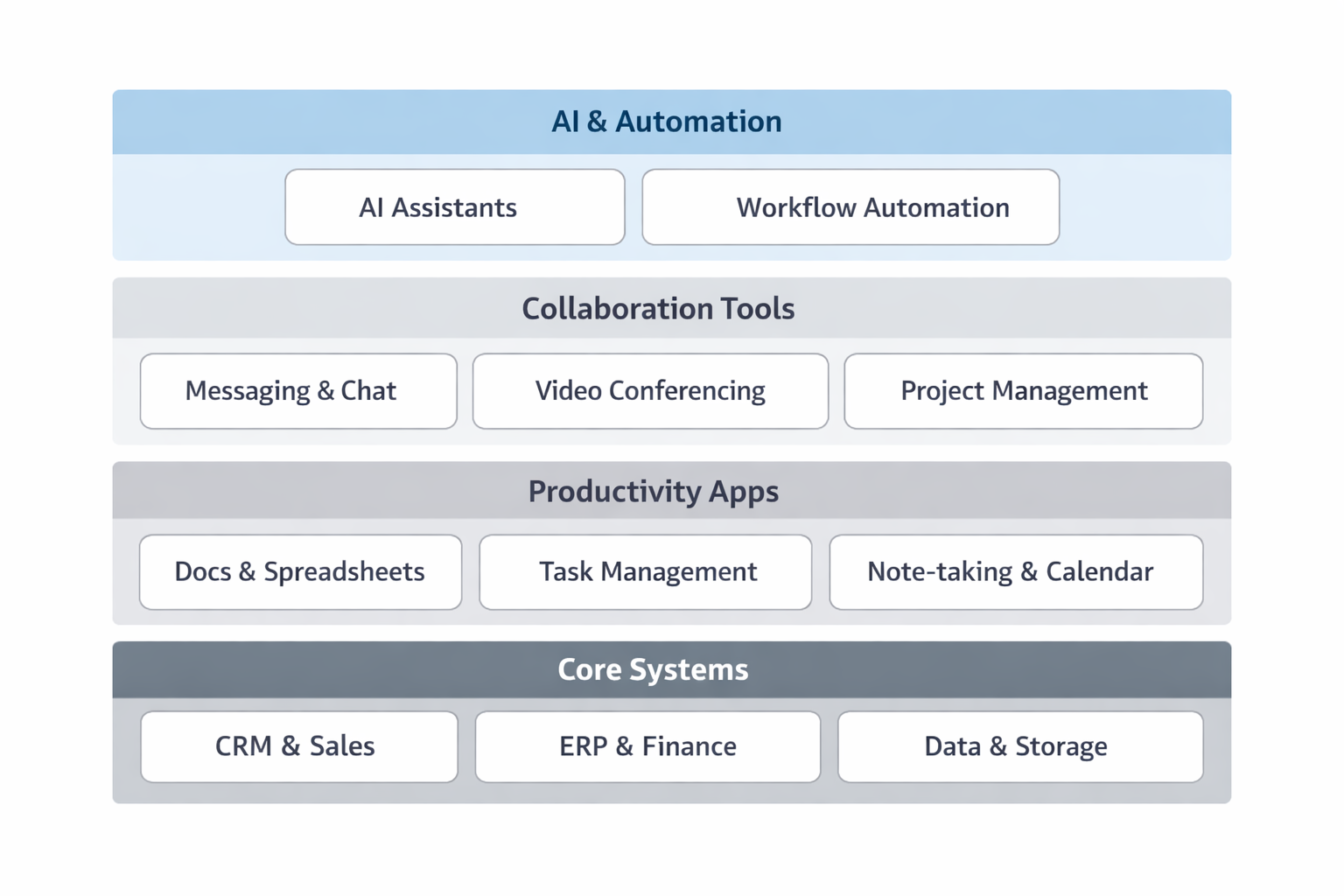
It is tempting to solve coordination problems by buying another tool. But tool accumulation can make the workflow worse instead of better. When teams adopt multiple platforms for project management, messaging, documentation, approvals, and reporting, they often create app sprawl: too many places to check, too many systems to update, and too many versions of the truth. The outcome is duplicated work, not streamlined work. (asana.com)
App sprawl creates several hidden costs. First, it increases the time spent searching for information. If a decision history lives in one platform, a draft in another, and a task assignment in a third, employees must stitch together the context manually. Second, it creates handoff loss. Every time work moves from one person or team to another, something can get missed: assumptions, deadlines, requirements, or customer details. Third, it encourages shadow work, where people keep personal notes, backchannel updates, or duplicate spreadsheets because the official system is too cumbersome to trust. (asana.com)
The real problem is not the number of tools by itself. It is whether the tools map cleanly to the way work actually gets done. If every new tool introduces another login, another notification stream, and another place where information can drift, the organization may become more “digitized” while becoming less productive. McKinsey’s 2026 discussion of tech and AI value emphasizes environment simplification and operating model redesign as prerequisites for speed and resilience — a signal that cleaner systems matter more than more systems. (mckinsey.com)
This is also why a “tool-first” mindset often disappoints. Software can automate pieces of work, but it cannot fix a process that is unclear, redundant, or poorly governed. If the same request is entered three times because three teams use three different systems, automation may merely speed up the wrong thing. Better output comes from reducing the number of places where work can get stuck, lost, or duplicated. (mckinsey.com)
4. The new productivity lever: redesigning work around AI, automation, and clearer decision paths
The biggest productivity opportunity in 2026 is not simply AI adoption. It is redesigning work so AI and automation handle the repeatable parts while humans focus on the parts that require judgment. This includes rethinking decision rights, simplifying approvals, and building workflows that route routine items automatically while escalating exceptions to the right people. McKinsey’s 2026 coverage repeatedly stresses that organizations create value when they redesign processes and operating models around AI rather than using AI as a thin layer on top of old habits. (mckinsey.com)
Clearer decision paths are central to this shift. Many workflows stall because nobody knows who owns the next step, what criteria should be used, or when an exception should be escalated. AI can help by classifying requests, summarizing context, suggesting next actions, and routing items to the right queue. But those benefits only matter if the organization has defined the path in advance. Otherwise, AI simply accelerates confusion. (mckinsey.com)
Automation also works best when it removes friction from handoffs. For example, a system can populate a case summary, extract the relevant customer details, flag incomplete inputs, and send the task to the correct specialist without making someone manually copy and paste data across systems. This does not just save time. It reduces error rates and speeds up cycle time. The aim is not to replace human oversight, but to reserve it for the moments where it matters most. (mckinsey.com)
In practical terms, the new productivity lever is a combination of three things: remove unnecessary steps, automate routine steps, and clarify the few remaining steps that require human judgment. That approach makes work flow better because it is designed around how decisions actually happen, not around how software vendors think they should happen. (mckinsey.com)
5. Where AI helps most in 2026: drafting, summarizing, routing, searching, and exception handling
AI is most valuable when it handles high-volume, information-heavy work that is repetitive but not trivial. In 2026, the most useful applications are not flashy demonstrations; they are the everyday tasks that consume attention without creating strategic value. That includes drafting emails, proposals, and briefs; summarizing long documents or meeting transcripts; routing requests to the right team; searching across scattered knowledge bases; and handling exceptions by flagging what needs human review. McKinsey’s 2026 research on agentic AI and intelligent applications points toward exactly these kinds of embedded, workflow-level use cases. (gartner.com)
Drafting is a strong starting point because it reduces the blank-page problem and speeds up first-pass creation. AI can turn notes into a draft, generate a summary for a stakeholder, or create variants tailored to different audiences. Summarizing is equally useful because it compresses information overload into something actionable. Instead of reading a long thread or document end to end, employees can review a concise version and decide whether deeper review is needed. (mckinsey.com)
Routing may be even more powerful than drafting in process-heavy environments. If a request comes in through a shared channel, AI can classify the issue, attach relevant context, and route it to the right specialist or queue. This reduces the time people spend triaging work manually. Searching is similar: AI can help employees find the right policy, prior example, customer history, or internal answer faster than a manual hunt across disconnected systems. (gartner.com)
Exception handling is the advanced layer. Most business processes are designed for the “happy path,” but real operations are full of anomalies: missing data, unusual customer requests, compliance issues, and edge cases. AI can detect patterns, flag anomalies, and prepare an exception packet for a human decision-maker. That is where AI begins to feel less like a tool and more like a workflow partner. (gartner.com)
6. The cost of pilot purgatory: why many AI tools never create value without process redesign
A common failure mode in AI adoption is pilot purgatory. The company launches a promising use case, tests it in one team, sees modest enthusiasm, and then never scales it. The tool remains a demo, a sandbox, or a side project. McKinsey’s 2026 materials are blunt about this dynamic: companies may have plenty of AI ambition, but they often fail to capture value because they do not build the organizational capability to deliver at scale. (mckinsey.com)
Why does this happen so often? Because pilots are usually implemented around the current process, not a redesigned one. A tool might shorten one step, but if the surrounding workflow stays the same, the overall system still bottlenecks somewhere else. For example, an AI assistant may generate a customer response quickly, but if approval still waits in a queue for 48 hours, the end-to-end experience does not improve much. The value gets trapped in the pilot. (mckinsey.com)
Another reason pilots stall is that success is measured too narrowly. Teams may celebrate usage or novelty, but not cycle time, error reduction, or customer impact. That creates a false sense of progress. A pilot can be well-liked and still be economically irrelevant. Gartner’s 2026 discussion of autonomous business similarly suggests that automation alone does not guarantee returns; the operating model and process context matter. (gartner.com)
The lesson is straightforward: do not ask, “Can this AI tool work?” Ask, “What process must change for this to create measurable value?” If the answer is unclear, the pilot is likely to stay trapped in experiment mode. Real value comes when AI is built into the flow of work, with new roles, new decision paths, and new measures of success. (mckinsey.com)
7. A practical framework for diagnosing friction: time lost, task repeats, approval delays, and rework
Before redesigning work, leaders need to locate the friction. A practical diagnostic framework can be built around four questions: Where is time being lost? Which tasks are being repeated? Where do approvals delay progress? And where does rework appear most often? Those four signals reveal whether the problem is workload, unclear process, or poor system design. (asana.com)
Time lost includes search time, meeting time, status-chasing, and manual coordination. If employees spend a large share of their day simply trying to find what they need, that is a sign of workflow design failure. Asana’s findings about “work about work” are useful here because they help organizations identify hidden overhead rather than blaming individual performance. (asana.com)
Task repeats happen when people enter the same data in multiple systems, answer the same question to different stakeholders, or recreate documents from scratch because there is no shared source of truth. Repetition often signals that the process is not standardized enough to be efficient. (mckinsey.com)
Approval delays show up when work waits for sign-off more than it takes to complete. If every decision has to climb a ladder, the organization is optimizing control at the expense of speed. The solution is not always fewer approvals, but better-defined decision thresholds so routine cases can move quickly while exceptions get attention. (mckinsey.com)
Rework is usually the most expensive signal because it means work was completed incorrectly, incompletely, or without the right context. Rework points to upstream failures in data quality, handoffs, or decision criteria. If teams constantly fix what others have already done, productivity is leaking through the seams of the process. (mckinsey.com)
The best organizations use this framework to redesign workflows end to end. They do not just ask where AI can fit; they ask what causes friction in the first place. That diagnostic discipline prevents random automation and keeps the focus on measurable operational improvement. (mckinsey.com)
8. Three examples of high-impact workflow fixes across operations, marketing, and customer support
In operations, a common fix is to automate routine intake and exception routing. Instead of having employees manually triage every request, an AI-enabled workflow can capture the request, identify the category, validate required fields, and send the item to the correct queue. Simple cases move immediately; edge cases get flagged with context. The impact is lower handoff friction, faster turnaround, and fewer avoidable escalations. This is exactly the kind of process redesign that McKinsey says is necessary to capture value from AI at scale. (mckinsey.com)
In marketing, a powerful fix is to reduce review loops for content production. Many teams lose days to repeated edits, unclear feedback, and version confusion. A better workflow starts with AI-assisted drafting and summarization, then uses a structured review template so stakeholders give focused feedback rather than broad opinions. The result is not just faster content creation; it is less rework and clearer accountability. Asana’s research on work about work supports this approach because it targets the coordination overhead that often slows creative teams more than the actual creative task. (asana.com)
In customer support, the highest-value fix is often smarter case resolution. AI can summarize the customer’s history, suggest likely solutions, and route complex issues to the right specialist. That lets frontline agents spend more time resolving issues and less time searching for context. McKinsey’s 2026 banking and customer-care research highlights a similar point: AI value emerges when organizations integrate technology into redesigned processes, unified data, and cross-functional operating models. (mckinsey.com)
These examples have one thing in common: they do not treat AI as a replacement for a broken workflow. They use AI to make a redesigned workflow faster, cleaner, and more reliable. That is where the real productivity lift comes from. (mckinsey.com)
9. How leaders should measure success: cycle time, quality, employee focus, and adoption instead of tool count
Too many organizations measure productivity by tool count. How many licenses were purchased? How many teams piloted the new platform? How many people logged in this month? Those metrics can be useful for adoption tracking, but they do not prove that work is faster, better, or less frustrating. Better leadership metrics focus on outcomes: cycle time, quality, employee focus, and adoption in the actual workflow. (mckinsey.com)
Cycle time measures how long it takes for work to move from start to finish. If an AI-powered routing process cuts a request’s turnaround from days to hours, that is meaningful value. Quality captures error rates, rework, customer satisfaction, and consistency. A faster process is not a win if it produces more mistakes. Employee focus matters because productivity is partly about protecting attention. If a redesign gives people more uninterrupted time for high-value work, the organization is likely to see better output even before hard financial gains show up. (asana.com)
Adoption should be measured in context, not just via logins. The real question is whether people are using the new workflow because it is easier, faster, and more reliable than the old one. If employees keep bypassing the system, that is a sign the process is still too awkward. This is why leaders should examine where work is actually happening, not just whether a platform is technically available. McKinsey’s 2026 research emphasizes capability, operating model, and real workflow integration over superficial deployment. (mckinsey.com)
A good scorecard therefore asks: Did the work get simpler? Did the team spend less time coordinating and more time creating value? Did quality improve? Did employees gain focus? If the answer is yes, productivity improved — even if headcount stayed flat. (asana.com)
10. Conclusion: the smartest productivity strategy is simplifying the system, not asking people to push harder
The most effective productivity strategy in 2026 is not to demand more intensity from already overextended teams. It is to simplify the system so work can flow with less friction. That means reducing fragmentation, cutting duplicated effort, tightening decision paths, and using AI where it removes coordination overhead rather than adding another layer of complexity. The companies most likely to win are the ones that treat productivity as a design challenge, not a motivation problem. (mckinsey.com)
This is the central lesson behind the shift from headcount thinking to work-design thinking. More people can help when a team is genuinely under-resourced, but they cannot fix a broken process. Better work design can. It can turn scattered effort into steady flow, repetitive labor into automated routing, and endless coordination into clear decisions. That is how AI becomes a productivity multiplier rather than just another tool. (mckinsey.com)
The future of productivity is not about asking people to do more of the same. It is about building a system that makes the right work easier to do. When organizations simplify the system, they create space for focus, quality, and better outcomes — which is exactly what productivity is supposed to deliver. (asana.com)
References
McKinsey — Redesigning technology workforce for the agentic AI era
McKinsey — A new year’s resolution for leaders: Redesign work for people and AI
Gartner — Predicts 2026: Intelligent Applications Shape the Future of Work
Gartner — Autonomous business and AI layoffs may create budget room, but do not deliver returns